




November 14, 2026 The Waiting-Room Wi-Fi Problem: Why Guest Internet Must Never Touch Your Dental Practice Network
Free Wi-Fi in the waiting room is a small courtesy that patients notice and appreciate. The problem is not the courtesy — it is how most practices deliver it. In a great many dental offices, the wireless a patient connects to from the reception couch is the same network that carries the operatory computers, the imaging server, and the practice-management system. One name, one password, one flat network for everything. It works, it is convenient, and it quietly puts your most sensitive systems one compromised phone away from a stranger in your waiting room.
This is one of the most common and most fixable security gaps we see in dental IT, and it has only grown more urgent as practices fill up with connected devices. Here is why guest internet must be fully separated from the clinical network, and what doing it properly actually involves.
A flat network means everything can talk to everything
On a flat network there are no internal walls. Every device — the receptionist’s workstation, the x-ray sensor bridge, the imaging server, a patient’s laptop, the smart TV in the waiting room — shares the same logical space and can, in principle, reach every other device on it. That is fine right up until one of those devices is hostile or infected. A patient’s phone carrying malware, a laptop that picked something up on a hotel network, or a cheap connected gadget with a known vulnerability does not have to attack anything deliberately; being on the same segment as your clinical systems is already most of the way to a problem. Malware that scans its local network for reachable machines will find your server because you put it in the same room, digitally speaking.
The whole premise of modern practice security is that a breach of one device should not become a breach of the practice. A flat network throws that premise away. Segmentation — splitting the network into isolated zones that cannot freely reach one another — is how you get it back, and it is as fundamental as the business-grade firewall that should sit at the edge of your practice network in the first place.
Guest Wi-Fi is not the only guest on your network
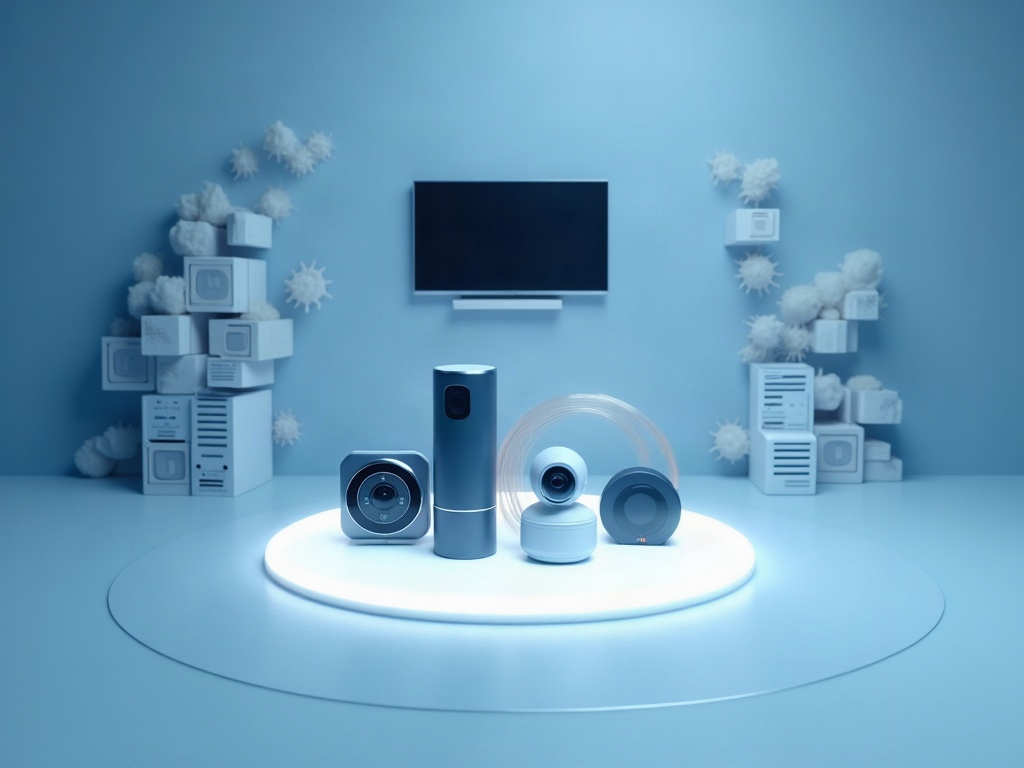
When people hear “guest Wi-Fi” they picture patients. But the fastest-growing population of untrusted devices in a dental office is not people at all — it is things. Smart TVs in the waiting room and consult rooms, Wi-Fi thermostats, security cameras, video doorbells, smart plugs, voice assistants, even some networked appliances. Each of these is a small computer running software that is rarely patched, often shipped with weak defaults, and built to a price rather than to a security standard.
These devices are exactly what large automated attacks go looking for. Recent campaigns have conscripted hundreds of thousands of consumer routers and cameras into botnets precisely because they are internet-connected, under-maintained, and sitting on networks nobody is watching. A dental practice that has dropped a handful of smart devices onto the same network as its imaging server has handed those devices a front-row seat to protected health information. IoT belongs on an isolated segment for the same reason patient Wi-Fi does: you do not control it, so you must not trust it.
What “separate” actually means
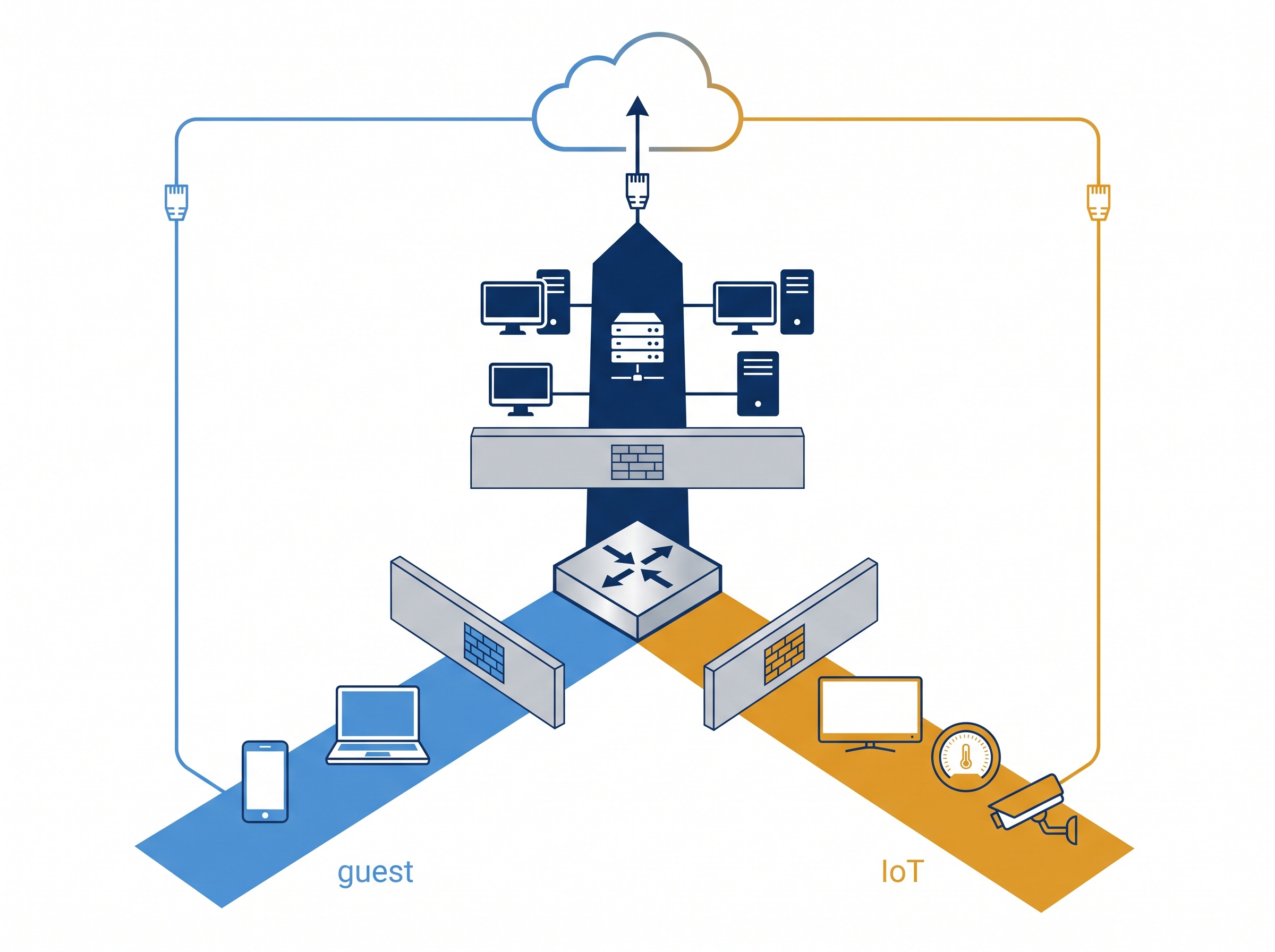
Separation is not two Wi-Fi passwords on the same network. Real isolation is done at the network layer, and on modern equipment it does not require a second physical internet connection. The standard approach is a dedicated guest SSID mapped to its own VLAN — a virtual network that rides the same hardware as the clinical network but is logically walled off from it. Properly configured, traffic on the guest VLAN can reach the internet and nothing else: it cannot see, scan, or connect to the clinical VLAN at all.
A correct setup has a few non-negotiable properties:
- Its own VLAN and subnet, with firewall rules that explicitly block guest-to-clinical traffic in both directions — the guest segment reaches the internet, never the practice LAN.
- Client isolation turned on, so devices on the guest network cannot even talk to each other — one patient’s phone cannot probe another’s laptop.
- No service bleed. The clinical network’s shared folders, printers, and device-discovery broadcasts must not be visible on the guest side. If a patient’s phone can see your imaging printer, the wall has a hole in it.
- Bandwidth limits so a waiting room full of streaming does not starve the systems you actually run the practice on.
- A separate IoT VLAN for the smart devices, isolated from both clinical and guest, so the thermostat and the TV live in their own quarantine.
The guiding rule is simple: anything you do not actively manage and patch — patient devices, staff personal phones, consumer smart gear — goes on a network that can touch the internet and nothing of yours. The same logic underpins a sensible bring-your-own-device policy for staff phones and tablets: untrusted endpoints stay off the clinical segment by default.
This is a compliance safeguard, not a convenience
It is tempting to file network segmentation under “nice to have.” Under HIPAA in the United States and PHIPA in Ontario, it is closer to a baseline expectation. Both frameworks require reasonable administrative, physical, and technical safeguards around systems that hold protected health information, and access control is central to all of them — limiting who and what can reach the systems where patient data lives. A network on which any walk-in device can reach the machine holding your radiographs and patient records is very hard to describe as reasonably safeguarded.
Segmentation is one of the highest-leverage technical controls a small practice can implement, because it limits the blast radius of everything else. If a patient device is infected, the damage stops at the guest VLAN. If a smart camera is conscripted, it cannot pivot to your server. You are not trying to make every device safe — an impossible task — you are making sure the unsafe ones cannot reach what matters. That is exactly the kind of control a security review or an incident investigation will look for, and the kind whose absence turns a minor compromise into a reportable breach.

What to check this week
You do not need to be a network engineer to sanity-check the basics. A few questions will tell you where your practice stands:
- Is the Wi-Fi your patients connect to a different network from the one your operatory computers and server use — or the same one with a shared password?
- If you join the guest Wi-Fi on your own phone, can you see or reach any practice computers, printers, or shared folders? You should not be able to see anything.
- Where do the smart TVs, thermostats, cameras, and any voice assistants live — on the clinical network, or on their own isolated segment?
- Does your router or access point actually support VLANs and client isolation, or is it consumer gear doing its best? Practice-grade networking is built for exactly this separation.
If the answers are uncertain — and for many practices running on whatever equipment was installed years ago, they are — that uncertainty is the finding. A flat network is not a configuration you chose so much as one you inherited, and it is straightforward to fix with the right hardware and a properly designed VLAN layout.
At Compudent Systems, segmenting guest, IoT, and clinical traffic so that patient convenience never touches patient data is standard practice in the networks we design and manage for dental offices. If you are not certain your waiting-room Wi-Fi is safely walled off from your imaging server and practice-management system, contact Compudent Systems for a network review — we will show you exactly where the walls are, and where they need to be.
Related Reading
- The Other Computers in Your Operatory: Why Connected Dental Devices Are the Attack Surface Nobody Audits
- When Your Device Vendor Gets Breached: An IoMT and Third-Party Security Checklist for Dental Practices
- Wireless Medical Device Vulnerabilities Expose Dental Practices to Man-in-the-Middle Attacks