



August 2, 2026 Still Running Windows 10 at the Front Desk? Why an Unsupported OS Is Now a HIPAA Problem
On October 14, 2025, Microsoft shipped the last free security update for Windows 10. The operating system did not stop working that day, and that is precisely the problem. The machines at your front desk, in your operatories, and beside your imaging sensors kept booting up and doing their jobs, which makes it very easy to assume nothing changed. Underneath, something important did: those computers stopped receiving the monthly patches that close newly discovered security holes. Every vulnerability found after that date stays open on them, permanently.
For most industries that is a serious IT concern. For a dental practice, it is also a compliance one. HIPAA in the United States and PHIPA in Ontario both expect you to protect patient health information with reasonable, up-to-date safeguards. A workstation that the vendor has publicly stopped patching, sitting on the same network as your practice management software and your imaging, is difficult to describe as a reasonable safeguard. This article walks through what actually changed, why it matters more for healthcare than almost anywhere else, and what to do about it without panicking.
End of support does not mean end of use, and that is the trap
The phrase Microsoft uses is end of support. It means no more security updates, no bug fixes, and no technical assistance for that version of Windows. The software itself is not remotely disabled. Your Windows 10 machines will keep running your scheduler, your sensor drivers, and your billing tools for months or years.
That silence is the danger. There is no alarm, no lockout, no red screen the morning support ends. The computer behaves exactly as it did the day before, so the risk is completely invisible from the operatory. Meanwhile, security researchers and criminals keep finding new flaws in the same code, and only one side is still shipping fixes. With each passing month, an unsupported machine drifts further from safe and closer to trivially exploitable.
Why this is a HIPAA and PHIPA problem, not just an IT one
Both HIPAA’s Security Rule and Ontario’s PHIPA require you to safeguard electronic patient information against reasonably anticipated threats. Neither one names a specific version of Windows, which leads some offices to assume the operating system is out of scope. It is not.

Running healthcare systems on software the manufacturer has openly declared unsupported is close to the textbook definition of a threat you can reasonably anticipate. Everyone, including the attackers, knows those machines will never be patched again. If a breach is traced back to an unpatched Windows 10 workstation, explaining to a regulator, a patient, or your insurer why you kept storing protected health information on it becomes a very uncomfortable conversation. Cyber-liability insurers have noticed too: many now ask directly whether you run supported operating systems, and an inaccurate answer can void a claim at the worst possible moment.
One weak machine is enough
A common objection is that the affected computer is just the front-desk PC, or an old machine in the corner that only runs one program. In a networked practice, that reasoning does not hold. Your workstations, server, and imaging devices talk to each other. An attacker who compromises the weakest, unpatched machine rarely stops there; they use it as a beachhead to move laterally toward the data that matters.
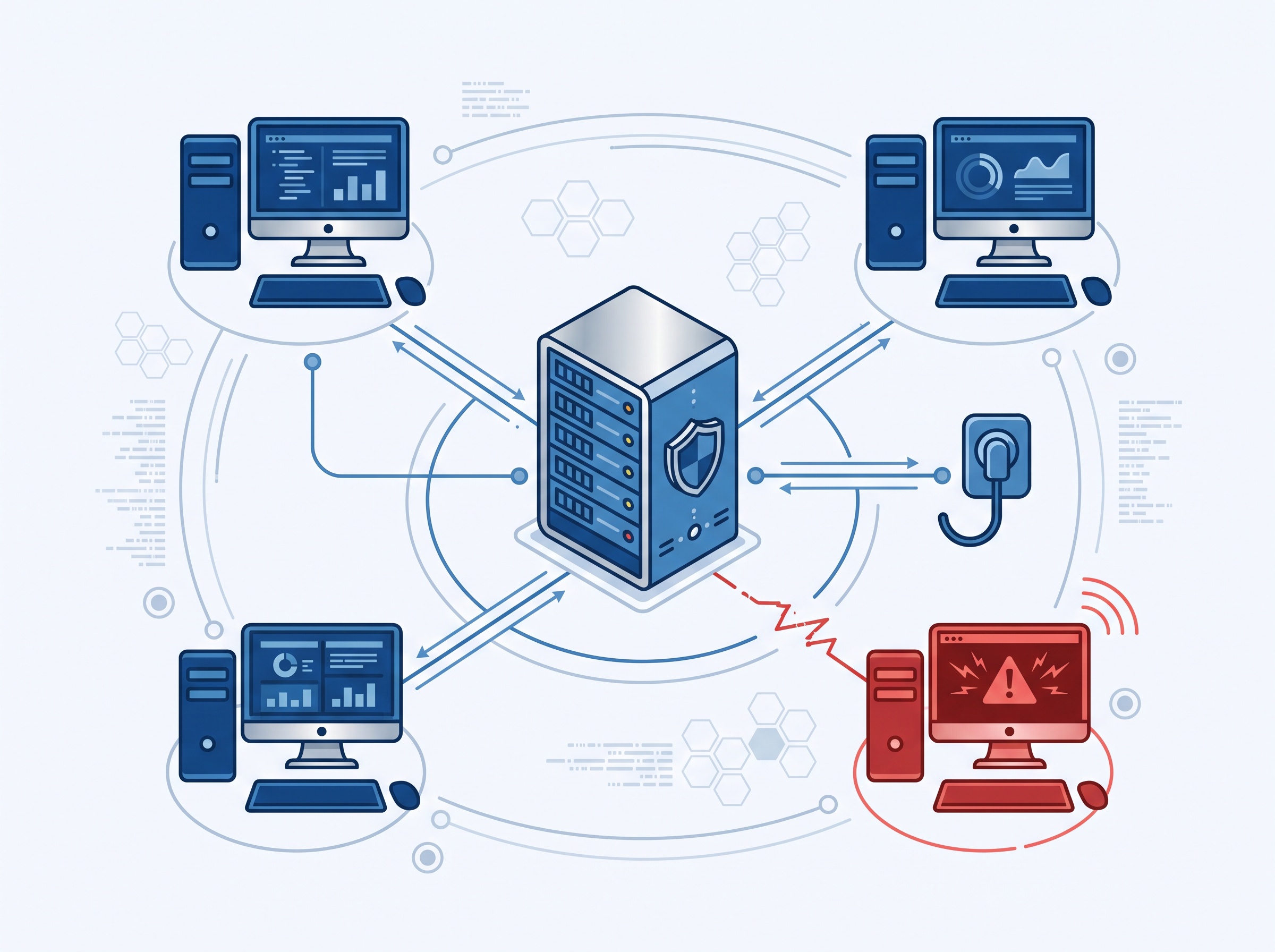
This is exactly how modern ransomware operates. It looks for the softest entry point, gets in, quietly spreads across the network, and then encrypts everything at once, including the practice management database and, increasingly, imaging archives. The single overlooked Windows 10 machine is not a contained risk. It is the door the rest of the break-in walks through.
Step one: find every machine still on Windows 10
You cannot fix what you have not counted, and most practices underestimate how many devices they actually have. Beyond the obvious reception and operatory PCs, Windows 10 often lurks in places that are easy to forget: a dedicated imaging-capture computer bundled with an X-ray sensor, a machine that only runs a CBCT or panoramic unit, a back-office laptop, or the PC wired to a label printer.

Build a simple inventory of every Windows device in the practice and record which version each one runs. On any machine you can check the edition and version quickly through the system settings, and your IT provider can pull this centrally in minutes. The goal is a single honest list: which machines are already on Windows 11 or another supported platform, and which are still on Windows 10 and therefore now unpatched. That list is the foundation for every decision that follows.
Your practical options, from best to stopgap
Once you know what you are dealing with, there are a few realistic paths. The right mix depends on the age of each machine and what it is attached to.
The cleanest option is to upgrade eligible machines to Windows 11. Many workstations from the last several years qualify and can move to a supported, patched platform at little or no hardware cost. For machines that do not meet the Windows 11 requirements, the honest answer is usually replacement: a modern workstation on a current operating system, which is far cheaper than a single breach. Where a device is genuinely trapped, for example an imaging PC locked to older capture software that the vendor has not certified on Windows 11, the interim move is isolation: segment that machine off from the rest of the network and the internet, restrict it to only the traffic it truly needs, and keep it on a documented replacement timeline. Isolation is a mitigation to buy time, not a permanent fix, and it should be treated that way. Microsoft’s paid Extended Security Updates can also bridge a short, documented gap, but it is a stopgap with an expiry date, not a strategy.
The bottom line for your practice
An unsupported operating system is one of those risks that costs nothing to ignore right up until it costs everything. The machines still work, the day runs normally, and the exposure quietly compounds in the background until the morning it does not. For a practice entrusted with patient health information, waiting for that morning is not a plan.
The path forward is not complicated: inventory every Windows machine in the office, confirm which are still on Windows 10, and get each one onto a supported, patched, and monitored footing, isolating anything that cannot move yet and putting it on a replacement clock. If you would rather not audit and remediate this yourself, this is exactly the kind of work Compudent handles for dental practices every day, from mapping what you have to upgrading, replacing, and securing it. Getting your operating systems current is one of the highest-value, lowest-drama things you can do for both your security posture and your compliance footing, and there is no advantage left in putting it off.
Sources & further reading:
Related Reading
- Dentrix Just Stopped Supporting Windows 10: What Every Practice Still Running It Needs to Do Now
- October 2026 Patch Tuesday: Microsoft Fixes a Record 1,400+ Flaws and an Exploited Windows Zero-Day — What Dental Practices Must Patch Now
- No Malware Required: How an "IDOR" Flaw in Dental Software Exposed Patient Records — and the Questions to Ask Your Vendor