



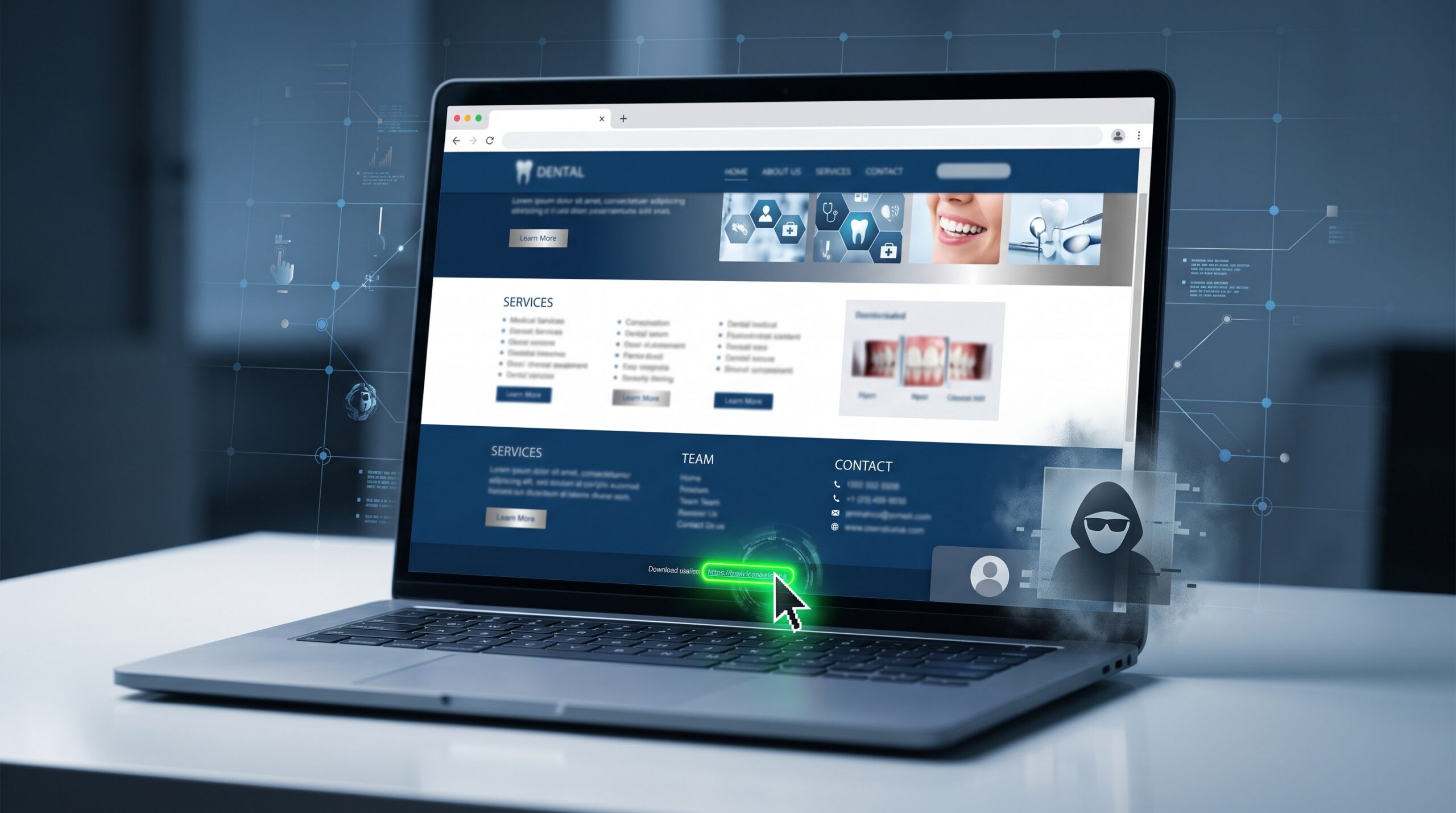
September 27, 2026 One Click and You Have a New Admin: The Elementor Flaw (CVE-2026-62062) Threatening Dental Practice Websites
Just last week we warned that a WordPress core flaw went from disclosure to active exploitation in under five hours. This week the pressure point moves from the core to the plugins bolted onto it — and to the people who run them. Security researchers have disclosed a high-severity vulnerability in Elementor, the drag-and-drop page builder installed on more than 10 million WordPress sites, that lets an attacker create a rogue administrator account on your website. Tracked as CVE-2026-62062 and scored 8.8 out of 10, it affects Elementor versions 4.3.0 and 4.3.1, and it is fixed in 4.3.2, released September 24, 2026.
If your dental practice website was designed in WordPress — and a large share of small-practice sites are — there is a good chance Elementor is what your designer used to build it. That makes this your problem to confirm, not just an industry headline.
What the flaw actually does
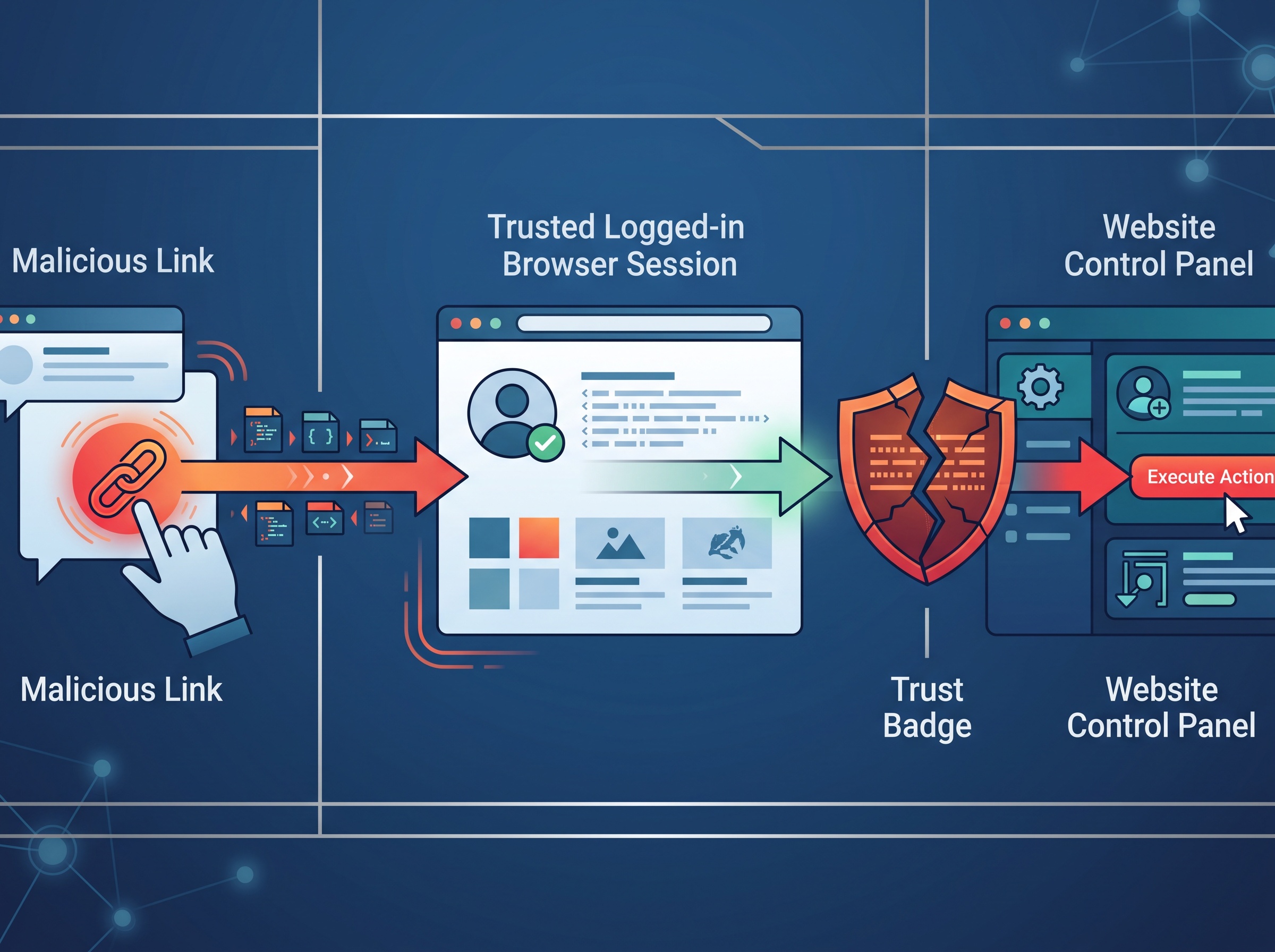
The vulnerability is a cross-site request forgery, or CSRF. Unlike last week’s core flaw, which needed no interaction at all, this one has a single prerequisite: a logged-in administrator has to open a link the attacker controls. The attacker sends that link — in an email, a comment, a message, a page — and if an admin clicks it while still signed in to the site, their own authenticated browser session is quietly used to submit a request the admin never intended. In this case, that forged request tells the site to create a new administrator account under the attacker’s control.
The reason it works is that the vulnerable code accepted the action without properly verifying that the request genuinely came from the admin’s own click inside the dashboard. CSRF attacks abuse exactly this: the trust a site already extends to whoever is logged in. Once a second admin account exists, the attacker no longer needs the trick — they simply log in and own the site outright.
Why this is a dental-practice problem, not just a tech one
It is easy to dismiss the marketing website as “just the brochure.” But a website an attacker fully controls is a liability that reaches your patients and your compliance obligations:
- Harm aimed at your patients. A hijacked site can be rewired to serve malware, fake booking pages, or scam redirects to the very people who trust your name — patients checking your hours or requesting an appointment.
- Theft of the data your forms collect. Contact forms, appointment requests, and new-patient intake widgets routinely capture names, phone numbers, emails, and the reason someone is seeking care. Depending on what you gather, that can be protected health information — and its exposure can trigger notification duties under HIPAA and PHIPA.
- Reputation and search damage. Compromised sites are commonly stuffed with spam or malicious links, which search engines flag — turning your best marketing asset into a warning label.
- A foothold for more. Full control of your site’s server environment is a launch point for probing anything else that shares it.
The detail that makes this one different: it targets your people
Because the trigger is a click by a logged-in administrator, this flaw sits at the intersection of a software problem and a human one. The attacker’s real target is whoever administers your site: your web designer, your marketing agency, or the front-desk person who was handed the login. That is the same lesson we raised when malware started targeting the tablets and phones your team uses every day — the endpoint and the person operating it are part of your attack surface. A patched plugin protects you against this specific bug; a team that pauses before clicking protects you against the next one.

Exactly what to do this week
- Update Elementor to 4.3.2 or later. This is the fix. If your site runs Elementor 4.3.0 or 4.3.1, treat it as urgent. If you are on an older 4.x release, update to the current version anyway. Sites with automatic plugin updates enabled may already be patched — verify it rather than assume it.
- Review your administrator accounts. Log in and look at the list of users with the Administrator role. Delete any account you do not recognize, and confirm every legitimate admin still needs that level of access. Fewer admins means a smaller target.
- Confirm who actually owns patching your site. Is it your web designer, an agency, your IT provider, or nobody? A site with an unclear owner is a site that does not get patched. Assign a named owner for updates and account reviews.
- Reinforce click discipline for your site’s admins. Because this attack rides on a click, the handful of people with dashboard access should treat unexpected links with the same caution you would want for any account that touches patient data. When in doubt, do not click — and never stay logged in to the site admin in a browser you also use for casual email and links.

The bigger habit this should reinforce
Two critical website flaws in as many weeks is not a coincidence — it is the normal weather now. WordPress and its plugin ecosystem power an enormous share of small-business sites, which makes them a constant, automated target. The practices that ride this out are not the ones with the fanciest website; they are the ones that keep software current, know which plugins they run, limit who has admin access, and have a named owner for each of it. Those same habits are what keep a five-alarm advisory from becoming a downtime-and-recovery scramble later.
Where Compudent fits
Most dental offices do not have someone whose job is to notice an Elementor advisory on a Thursday and confirm the practice site was patched before attackers went looking. That is the gap we close. Compudent Systems helps dental and medical practices across the GTA and Ontario inventory the systems that touch patient data — websites and their plugins included — keep them patched, review who has access, and make sure someone actually owns each piece. If you are not certain whether your practice website runs Elementor, which version it is on, or who has an admin login, reach out to Compudent for a quick assessment. It is a short conversation now, or a breach-notification letter later.
Sources & further reading:
- Elementor CSRF Flaw Lets Attackers Take Over Sites After Admin Clicks Crafted Link
- CVE-2026-62062: Critical Elementor CSRF Flaw Enables WordPress Admin Takeover
Related Reading
- Hacked in Five Hours: The Critical WordPress Flaw (CVE-2026-87902) Your Practice Website Needs Patched Today
- Security Alert: “wp2shell” (CVE-2026-63030) Is a Critical WordPress Core Flaw — Patch Your Practice Website Now
- Your Practice Website Is Part of Your Attack Surface: Hackers Are Forging Logins Into WordPress Right Now