



October 16, 2026 Sending a 3D Scan for a Second Opinion: How to Share CBCT Data Without Putting a Patient’s Record at Risk
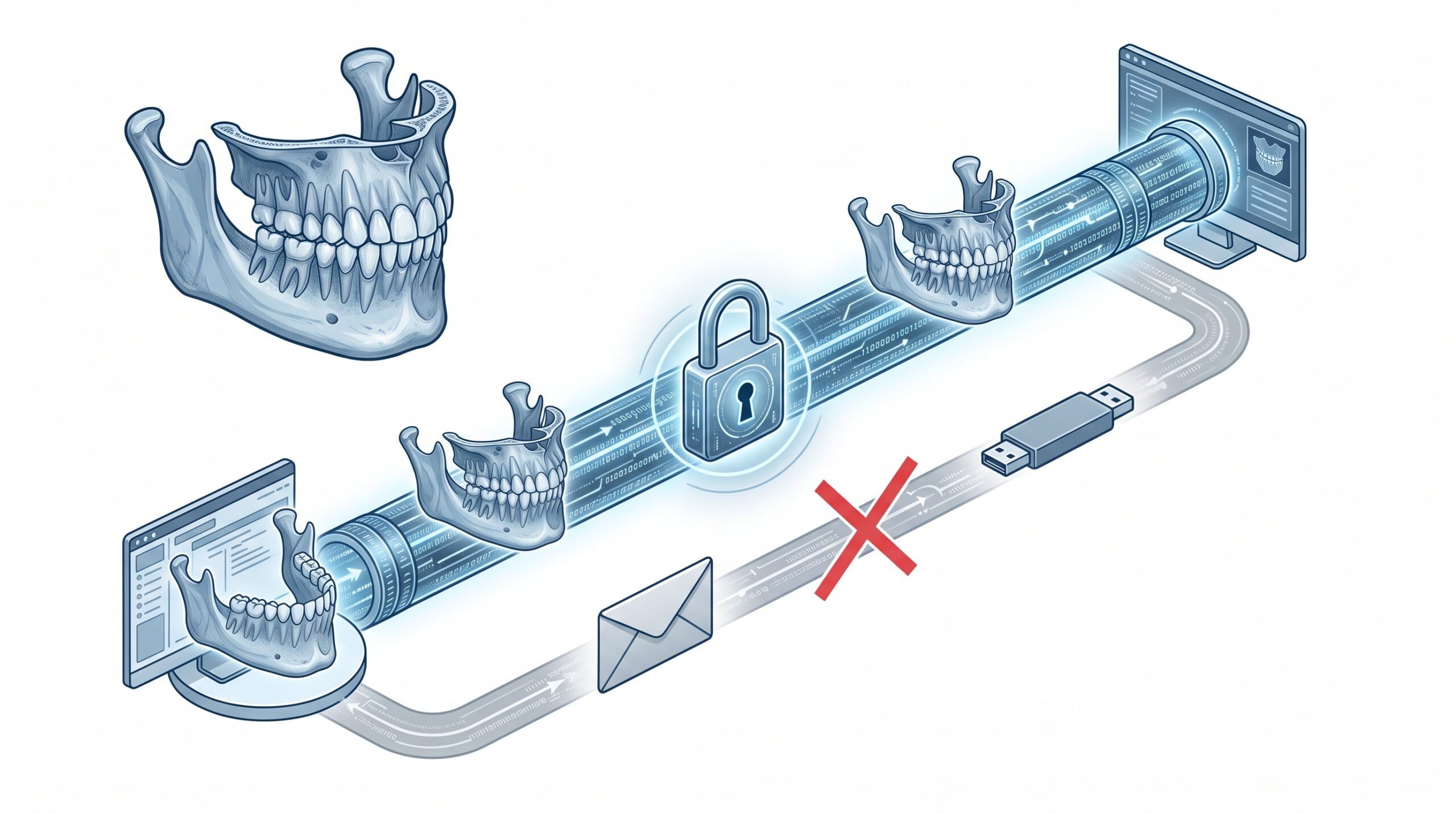
It is one of the most routine requests in a dental practice. A patient needs a second opinion on an implant site, an impacted third molar, or an unclear lesion, and the specialist’s office calls and says: just send us the CBCT. The clinical instinct is to be helpful and fast. The fastest answers — attach the file to an email, burn it to a disc, or drop it on a USB stick for the patient to carry across town — are also the ones most likely to turn a simple favour into a reportable privacy breach.
A three-dimensional scan is not just a picture. It is a complete volume of a patient’s anatomy, bound to their name and record, and it is personal health information the moment it leaves your operatory. How it travels matters as much as what it shows. Here is how to share a 3D dental scan for a second opinion the right way — so the specialist gets everything they need to read it, and nothing leaks on the way there.
Why the easy methods are the risky ones
Ordinary email is the classic trap. A standard message crosses several servers in plain text, lands in an inbox you do not control, and then gets forwarded, replied-to, and backed up in ways you can never retract. Once a scan is sitting in someone’s personal mailbox or on their phone, you have lost every bit of control over where that patient’s data goes next. A USB stick or a burned disc is no better: it is an unencrypted copy of a health record walking out the door, trivially lost in a car, a waiting room, or a jacket pocket.
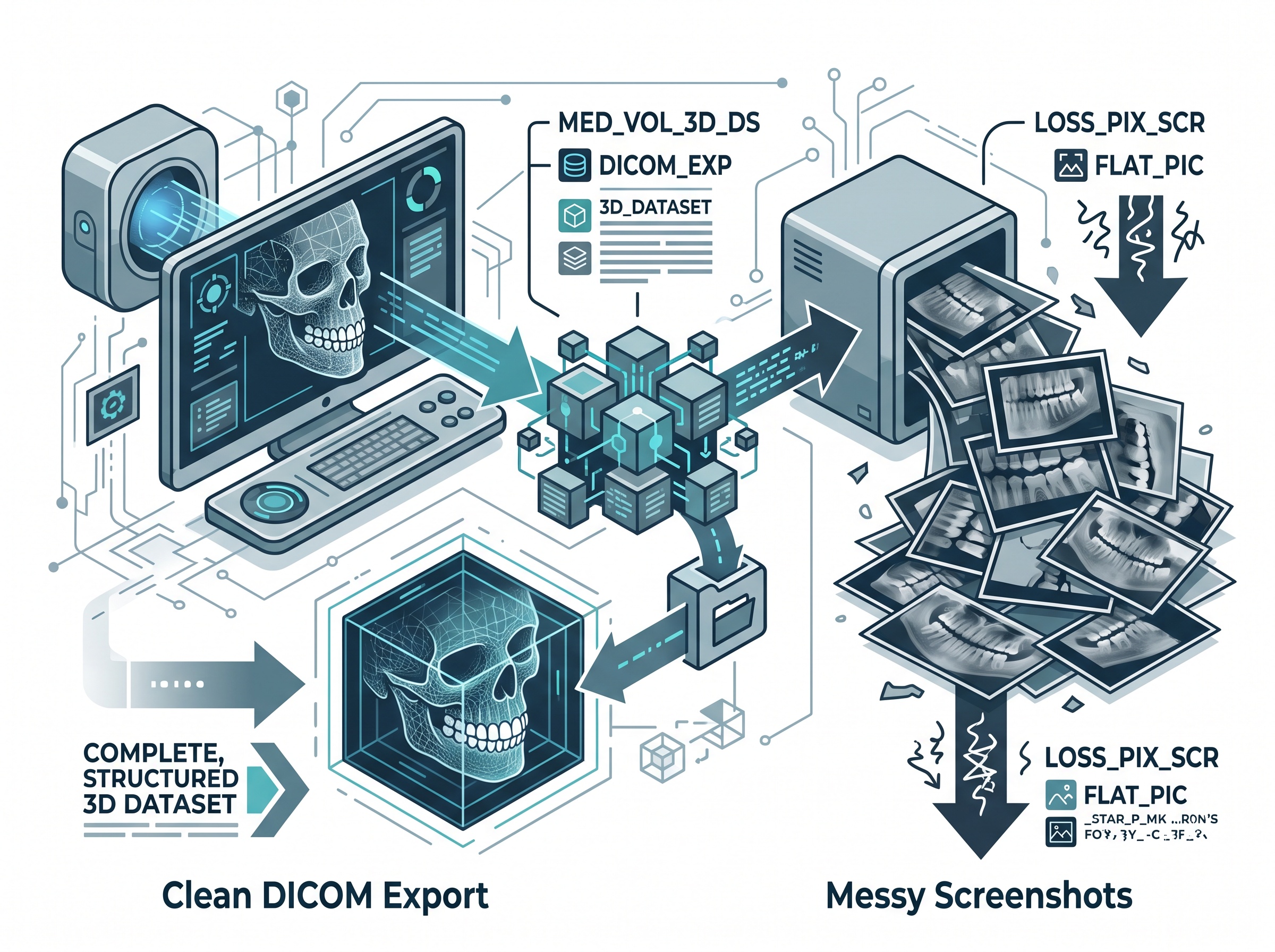
There is also a quieter failure mode — sending the wrong thing. Under pressure, staff sometimes screenshot a few slices from the imaging software and send those flat pictures instead. The specialist cannot scroll, re-slice, or measure a flattened screenshot, so the second opinion is built on a fraction of the information the scan actually holds. You have taken on all of the privacy risk of sharing and delivered almost none of the diagnostic value.
Export the right data: DICOM, not screenshots
A 3D scan should leave your system as a proper DICOM export — the medical-imaging standard that carries the full volume, the acquisition parameters, and the metadata a radiologist or specialist needs to interpret it correctly. Most CBCT and practice-management platforms can export a study as a DICOM dataset, often bundled with a small standalone viewer so the receiving office can open it without owning your exact software. That viewer question is precisely the kind of interoperability headache we covered in our explainer on imaging bridge software and why X-rays break when you switch systems; the same mismatch that breaks imaging in-house is what strands a referral if you send a format the specialist cannot open.
Before you send anything, confirm two things with the receiving office: the exact format they can ingest, and whether they want the full study or a specific region. Sending a complete, correctly exported volume once beats three rounds of re-sending because the first file would not open. And because that study has to live somewhere while it is prepared and transmitted, the storage and handling of DICOM data is an IT design decision in its own right — the same point we made about dental MRI being an IT project before it is a clinical one.
Consent and the law: this is health information, wherever you practise
Sharing a scan for a care-related second opinion is generally permitted, but it is not consent-free. In Ontario, the Personal Health Information Protection Act (PHIPA) treats imaging as personal health information and expects disclosures to be limited to what is reasonably necessary, with the patient’s knowledge. Practices serving U.S. patients or working with U.S. specialists face the parallel HIPAA Security Rule, which specifically addresses how electronic health information must be protected in transit.
The practical takeaway is the same under either regime: get and document the patient’s agreement to send their scan to the named specialist, share only what that opinion requires, and keep a record that you did so. If the patient is the one carrying or receiving the scan, giving it to them is straightforward — it is their record — but you still owe them a secure method and a clear explanation, not a naked USB stick.
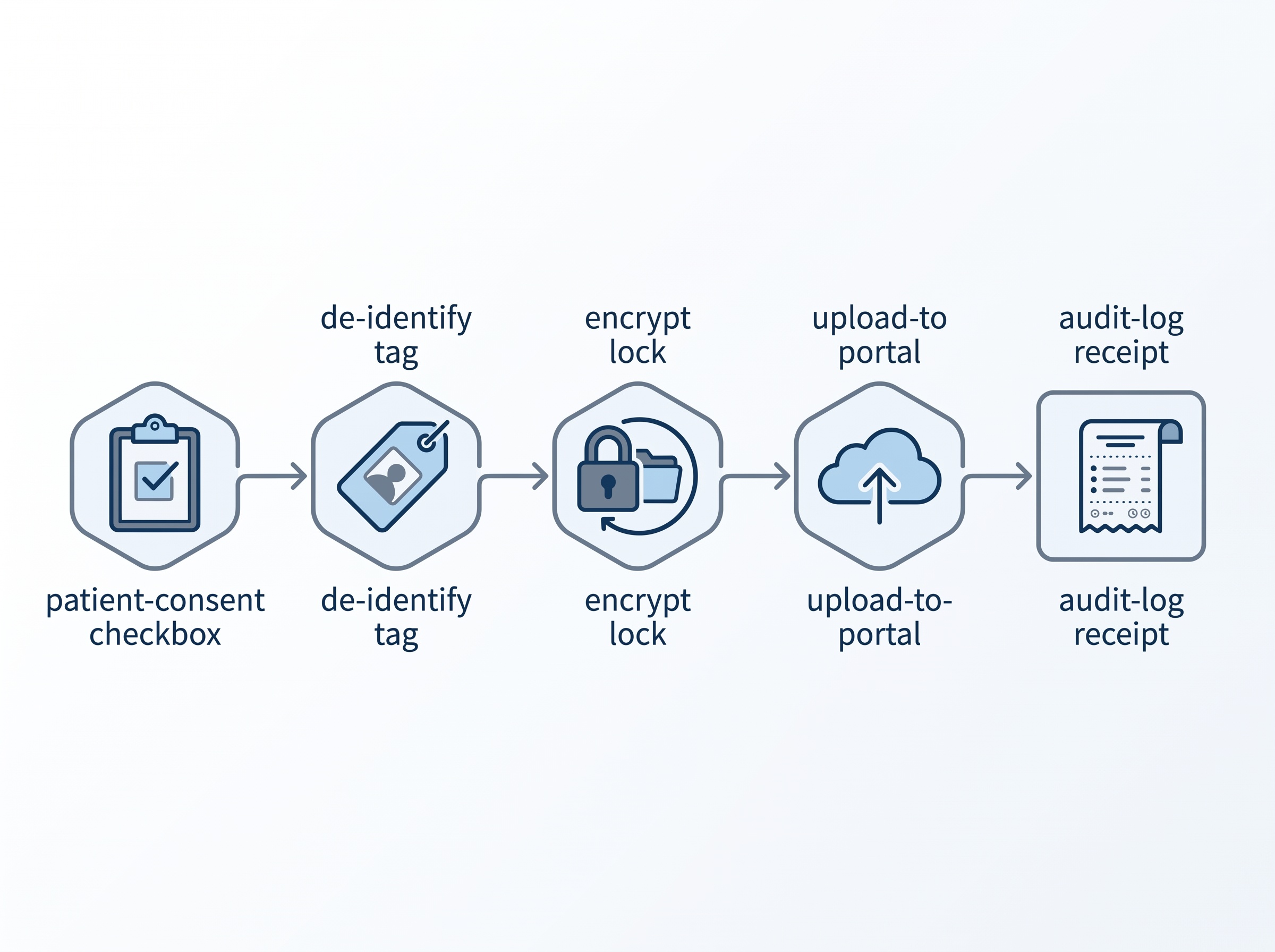
A five-step secure sharing workflow
Turn the one-off favour into a repeatable process your whole team follows the same way every time:
1. Confirm consent and the recipient. Verify who is asking, that they are the specialist the patient actually wants, and that the patient has agreed. Note it in the chart.
2. Export properly. Produce a DICOM study (with a viewer if needed), not screenshots, and confirm the receiving office can open it.
3. Minimise and label. Send only the study required. Where a platform supports it, keep identifiers to the minimum necessary and label the package clearly so it is matched to the right patient on arrival.
4. Encrypt and send through a controlled channel. Use a secure patient portal, an encrypted file-transfer service, or a dedicated imaging-exchange platform that produces an expiring, access-controlled link. Never plain email, never an unencrypted drive.
5. Log it. Record what was sent, to whom, when, and under whose authorisation. If a question ever arises, that audit trail is the difference between a clean answer and a scramble.
Choose the channel deliberately
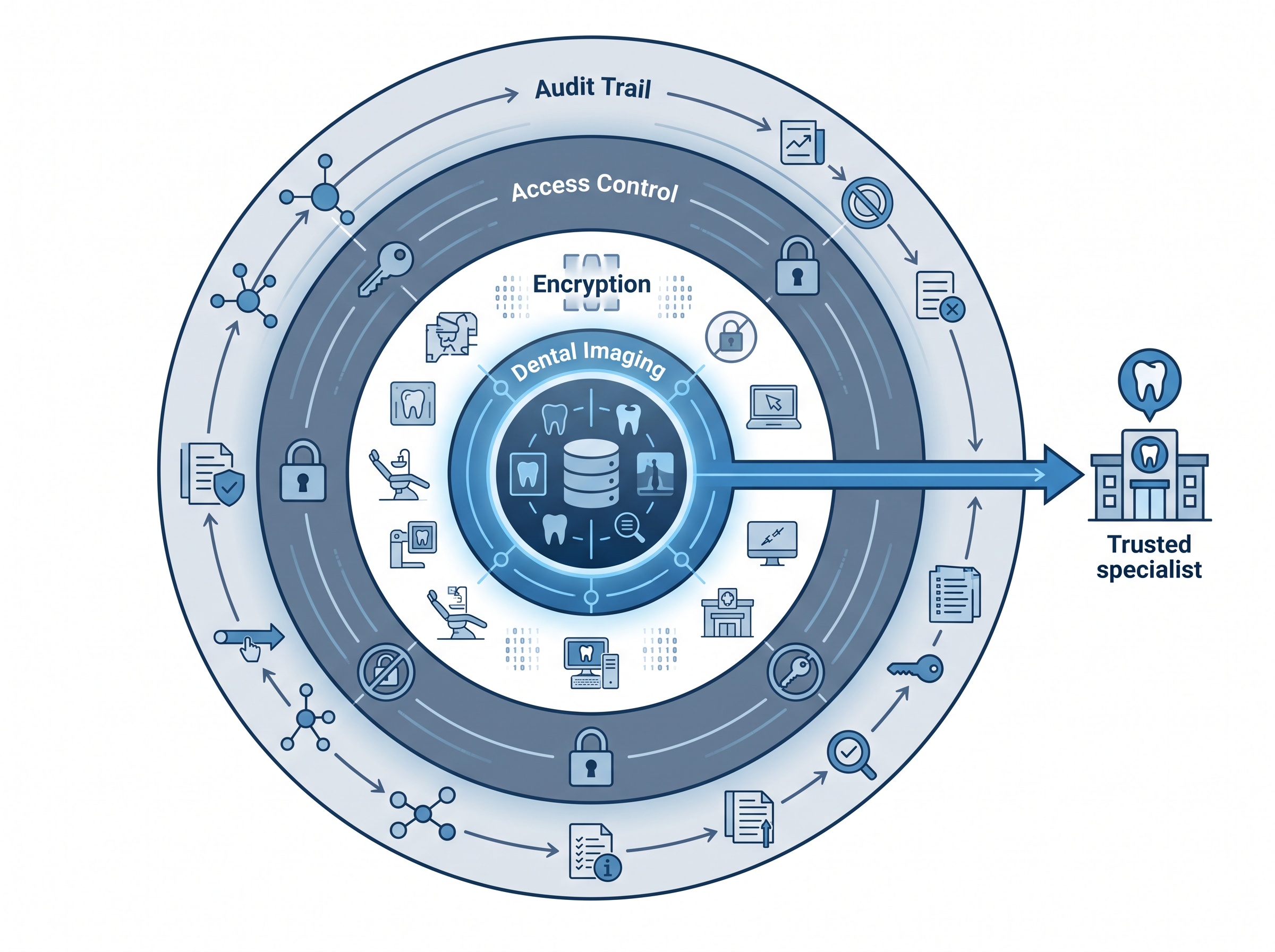
The channel is where most practices either get this right or quietly get it wrong. A good option gives you three things: encryption in transit, an access control you own (a login or a one-time link rather than an open attachment), and the ability to expire or revoke access after the specialist has what they need. A secure portal or a purpose-built imaging-exchange service does all three. A chain of forwarded emails does none of them — it scatters permanent copies across inboxes and personal devices you will never be able to recall.
This is the same discipline that decides whether a breach becomes a catastrophe elsewhere in the practice. The offices that fare worst after an incident are usually the ones who could not say where their data had gone or who had touched it — a theme that runs straight through recent dental ransomware cases and their HIPAA penalties. Control and auditability are not bureaucracy; they are what keeps a routine referral from becoming a regulator’s file.

Build it once, use it every day
None of this should slow your front desk down. The goal is to set up the secure channel, the DICOM export routine, the consent note, and the log once, so that “just send us the CBCT” becomes a thirty-second task that happens to be defensible. A scan that leaves your practice the right way protects the patient, the specialist, and you — and it keeps the second opinion focused on the tooth, not on how the file got there.
How Compudent helps
Compudent helps dental practices across the GTA and Ontario set up secure imaging workflows that fit real clinical life — reliable DICOM export, encrypted and audited sharing channels for referrals and second opinions, and storage and access controls that keep patient scans protected and PHIPA-aligned without slowing your team down. If sending a 3D scan today means an email attachment or a USB stick, let’s replace that with a channel you can trust and audit. Contact Compudent to review how your practice shares imaging.
Sources & further reading:
- Information and Privacy Commissioner of Ontario — Personal Health Information Protection Act (PHIPA)
- HHS — HIPAA Security Rule guidance on transmitting electronic protected health information
Related Reading
- AI That Reads Your CBCT Scans Just Arrived for General Dentists: What Pearl’s Second Opinion 3D Means for Your Practice
- Is Texting or Emailing Your Patients a PHIPA and HIPAA Violation? Secure Patient Communication for Dental Practices
- Can Your Dental Practice Use ChatGPT Without Breaking HIPAA and PHIPA? A 2026 Compliance Guide