


November 17, 2026 The Malware Was in a Script You Trusted: The Optimizely Hack and the Third-Party Code on Your Practice Website
On November 16, 2026, visitors to some of the most trusted websites on the internet — the BBC, CNN, Zoom, Salesforce, and GitLab among roughly 178 organizations — were quietly served malware. The remarkable part is not the size of the names. It is that none of those companies were actually hacked. Their own servers were untouched, their own code was fine, their own security teams had done nothing wrong that day. The malicious code rode in through a third party all of them trusted: Optimizely, the A/B-testing and experimentation platform whose scripts those sites load on every page.
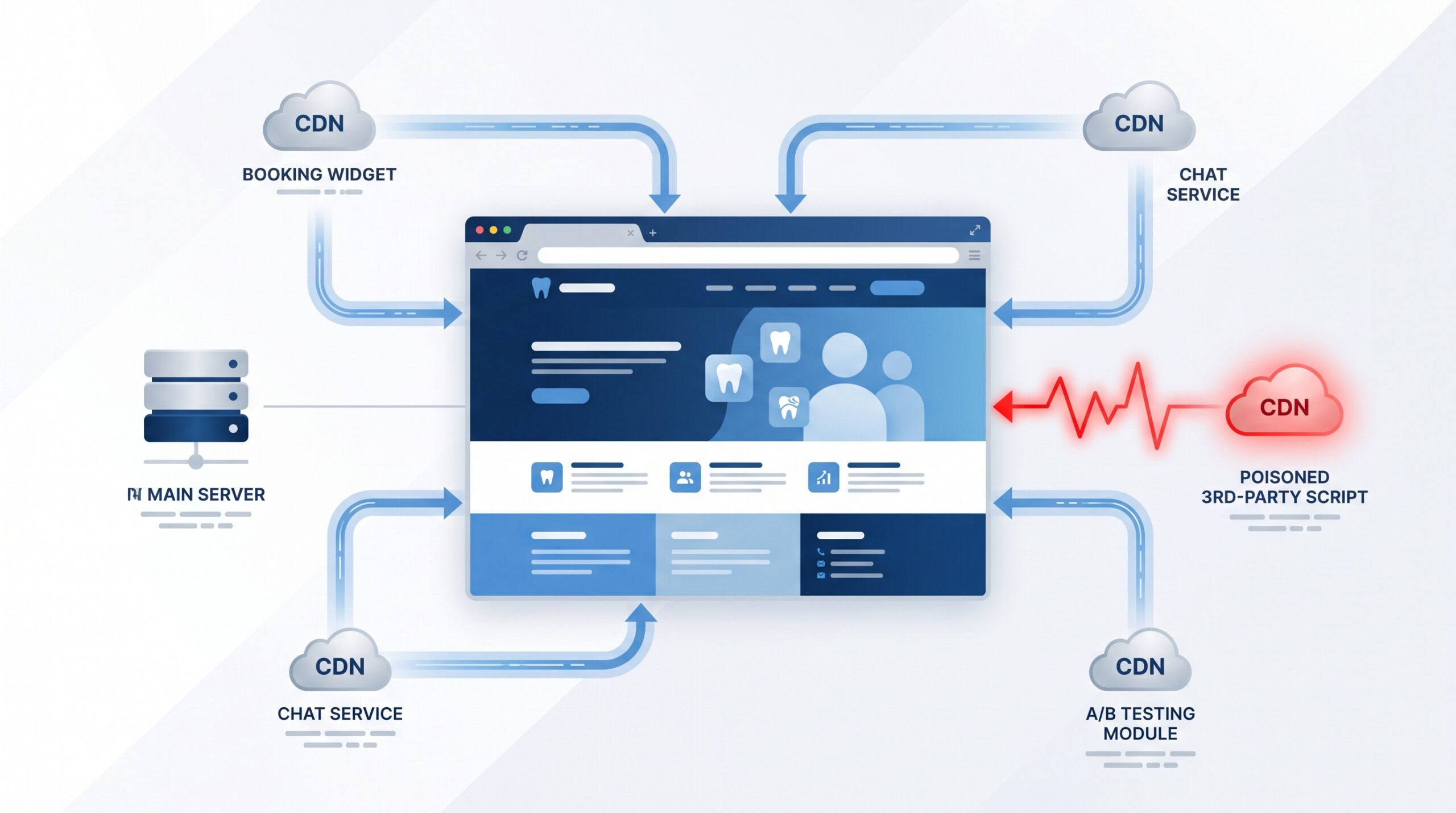
Attackers reportedly abused a signup weakness to inject malicious JavaScript into Optimizely customer projects. Because those scripts are delivered from Optimizely’s own content-delivery network and run inside every visitor’s browser, the poisoned code executed on each affected site automatically — attempting to steal cryptocurrency and payment-card details and even to load exploits aimed at iPhones. One vendor was compromised; hundreds of websites became the delivery vehicle. For a dental practice, that is the whole lesson in one sentence.
Your website is not just the server you control
When a practice thinks about website security, it usually pictures the thing it owns: the WordPress install, the hosting account, the plugins, the login page. That is the right instinct, and it is exactly the surface behind episodes we have covered before — from attackers forging logins straight into WordPress to a popular SEO plugin shipped with a backdoor from the vendor itself. But the Optimizely incident points at a different, less visible layer.
A modern practice website is rarely a single self-contained thing. It is your own pages plus a stack of code loaded from other companies and executed in your patient’s browser every time the page opens: an online booking or scheduling widget, a live-chat bubble, an analytics tag, a reviews or marketing pixel, a map embed, sometimes an A/B-testing tool like the one at the center of this story. Each of those is convenient. Each is also a door you have propped open to a company you do not control. If any one of those vendors is compromised, the code they push lands on your site, with your site’s trust, in front of your patients — and your server logs will look perfectly clean the entire time.

Why this failure mode is harder to catch
A server-side compromise usually leaves fingerprints you can find: a modified file, an odd admin login, a web shell, something in the logs. This is different. The malicious code never touched your server — it was fetched fresh from a third party’s infrastructure and run on the client side, in the visitor’s browser. Nothing changed in your hosting account. Nothing looks wrong when you log in. The attack is real, it is harming the people who visit you, and the evidence is almost entirely off your own premises. That is precisely why this class of attack — broadly the same family as the “Magecart” card-skimming attacks that have plagued online checkout for years — tends to run for hours or days before anyone notices.
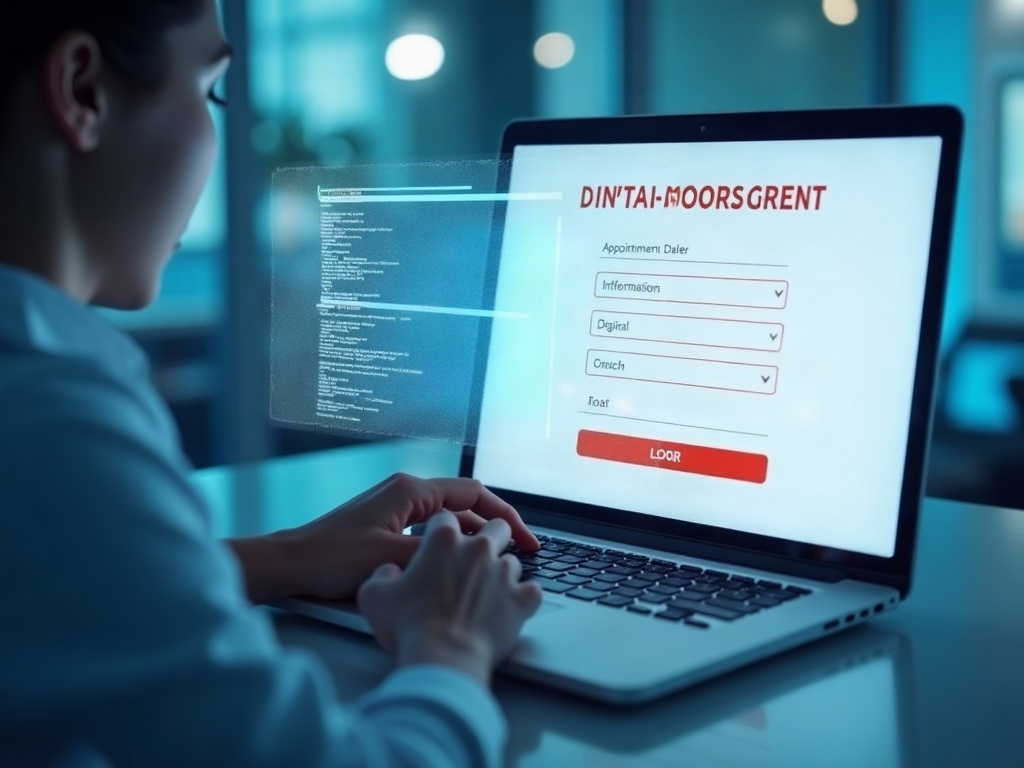
For most businesses the damage is stolen payment cards. For a dental practice, think about what your website actually collects. An online booking form takes a name, a phone number, an email, sometimes a date of birth or a reason for the visit. A contact or new-patient form can gather more. A skimming script injected through a trusted widget sits on that page and can quietly copy whatever a patient types, before it is ever encrypted and sent to you. That is patient information leaking from the one place a patient expected to be safe: your own front door.
What actually reduces the risk
You cannot audit the internal security of every vendor whose code you load, and you should not have to. What you can do is shrink how much third-party code runs on your site, and put guardrails around what remains. None of this is exotic; it is good hygiene that most practice websites simply never had applied.
- Inventory every third-party script. You cannot govern what you have not listed. Have whoever maintains your site produce an honest list of every external script the site loads — booking, chat, analytics, marketing, testing, embeds — and what each one is actually for.
- Remove what you do not need, especially on sensitive pages. Every script you drop is a door you close. Be strictest on the pages that collect patient information: a booking or contact page should load the bare minimum of outside code, not your entire marketing stack.
- Use Subresource Integrity (SRI) where you can. SRI lets your page refuse to run a third-party script if its contents have changed from the known-good version — a direct defense against a vendor’s file being swapped for a poisoned one. It does not fit every dynamically loaded tag, but it should be used wherever it does.
- Deploy a Content Security Policy (CSP). A CSP tells the browser exactly which sources are allowed to load and run code on your site, so an unexpected or newly introduced script is blocked rather than executed. It is one of the strongest controls against this entire category and is badly underused on small-business sites.
- Prefer vendors that monitor themselves — and keep payment flows isolated. Choose well-run providers for anything you must embed, and avoid routing payments through your marketing site at all; use a reputable, PCI-compliant processor on its own isolated flow so a skimmer on your pages has nothing to skim.
This is the same defense-in-depth logic that applies to the rest of practice IT: assume any single component can fail, and make sure that one failure cannot quietly reach your patients or their data.

A readiness check for your practice website
You do not need to be a web developer to ask the right questions of whoever runs your site. A few honest answers tell you where you stand:
- Do we have a current list of every third-party script our website loads, and a reason each one is there?
- On our booking and contact pages — the ones patients type personal details into — how much outside code runs, and could any of it be removed?
- Do we use a Content Security Policy and Subresource Integrity, or is any script allowed to load and run unchecked?
- If a widget vendor were compromised tomorrow, who would notice, and how?
- Does our website ever handle payment details directly, or is that isolated to a dedicated, compliant processor?
If the answer to any of these is “I’m not sure,” that uncertainty is the finding. The Optimizely incident is a reminder that your website’s security is only as strong as the least careful company whose code it runs — and that the clean-looking server is no longer proof that nothing is wrong. This sits right alongside the server-side website risks we have flagged, such as critical flaws in the web software itself; together they define the full attack surface a practice site presents.
At Compudent Systems, hardening practice websites — inventorying what they load, locking down third-party code, isolating anything that touches patient or payment information, and watching for the changes that matter — is part of keeping a dental practice secure, not an afterthought. If you are not certain what runs on your website or what it exposes your patients to, contact Compudent Systems for a website security review, and we will show you exactly which doors are open before someone else finds them.
Sources & further reading:
Related Reading
- The FBI Just Refreshed Its Medusa Ransomware Warning for Healthcare: The Real Lesson for Your Dental Practice
- Your Practice Website Is Part of Your Attack Surface: Hackers Are Forging Logins Into WordPress Right Now
- Hacked in Five Hours: The Critical WordPress Flaw (CVE-2026-87902) Your Practice Website Needs Patched Today