



October 10, 2026 What Is Imaging Bridge Software — and Why Your X-Rays Break Every Time You Switch Practice Management Systems
Ask a dental team what their practice management software does and they will describe scheduling, charting, billing, and recall. Ask what makes an X-ray appear on screen the instant the sensor is exposed, and most will shrug — it simply works. Until, one day, it does not. The sensor fires, the radiograph is taken, and nothing shows up in the patient’s chart. No error that means anything, no obvious cause, and a waiting room that does not care why.
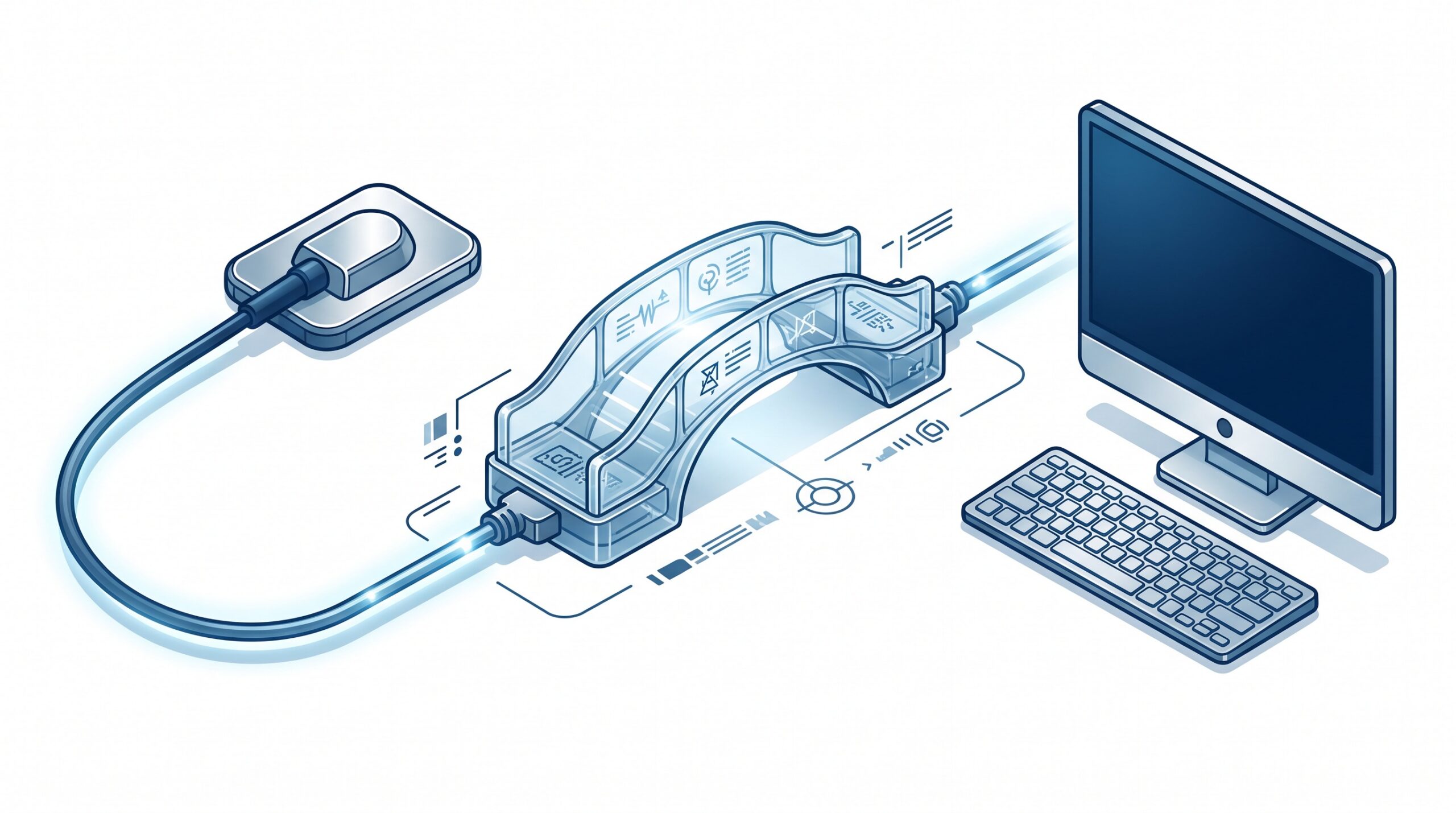
Behind that moment sits a piece of software almost nobody talks about: the imaging bridge. It is one of the most important components in a modern dental practice and one of the least understood, and it is very often the thing that breaks when you change practice management systems, move to a new computer, or install a Windows update. Understanding what it is will not let you fix it yourself — but it will tell you where the risk lives and what to protect.
What an imaging bridge actually is
Your X-ray sensor, phosphor-plate scanner, and intraoral camera are each made by a manufacturer — Dexis, Carestream, Air Techniques, iTero, and others — and each ships with its own imaging software and drivers. Your practice management system, whether Dentrix, Eaglesoft, Open Dental, abeldent, or another, is made by a different company. These two worlds do not natively understand each other. The bridge is the translator that sits between them.
When a clinician clicks “acquire” inside a patient’s chart, the bridge is what reaches out to the sensor’s software, says “capture an image for this specific patient,” receives the resulting radiograph, and files it back into the correct record. Much of this is done through a decades-old imaging standard called TWAIN, sometimes alongside direct integrations or the medical imaging standard DICOM. We have covered the mechanics of these connections in more depth in our explainer on how dental imaging tools connect through TWAIN, DICOM, APIs, and PMS bridges — the short version is that the bridge is doing quiet, constant translation every single time an image is captured or opened.

Why it is so fragile
The bridge’s weakness is structural: it depends on three independently moving parts staying in agreement. The sensor manufacturer updates its drivers. The practice management vendor updates its software. Microsoft updates Windows. Each of those updates is reasonable on its own, and any one of them can quietly break the handshake the bridge relies on.
This is why imaging problems so often appear out of nowhere “without anyone changing anything.” Usually something did change — a background update, a new permission requirement, a driver that no longer loads the way the bridge expects. We have seen exactly this pattern when operating-system updates disrupt otherwise-stable systems; our write-up on a Windows update that knocked domain controllers offline is a reminder that the most disruptive IT failures in a practice rarely announce themselves. A broken bridge behaves the same way: the sensor still powers on, the software still opens, but the two can no longer talk.
Why switching software is the riskiest moment of all
If a routine update can break a bridge, replacing the entire practice management system is the high-wire act. When you migrate to new software, the new system needs its own bridge to every imaging device you own — a bridge written, tested, and licensed for that specific combination of sensor and software. A sensor that worked flawlessly for a decade can suddenly have no supported path into the new system, not because the hardware failed, but because nobody built or verified the connector for that pairing.
Then there is the data. Years of radiographs living in your old system are not always stored in a neutral, portable format. Some vendors keep images in proprietary databases that do not export cleanly, which means a migration can range from a straightforward transfer to a painstaking extraction — or, in the worst cases, a decision to keep the old system running in read-only form purely to retain access to patient history. This is the quieter face of vendor lock-in: the barrier to leaving is not the software license, it is your own imaging archive.

The questions that de-risk a software change
You do not need to become an imaging engineer to protect yourself. You need to force the compatibility questions to the surface before you commit, when you still have leverage, rather than discovering the gaps on go-live morning.
- “Is every one of our imaging devices on your supported bridge list?” Provide the new vendor an inventory of each sensor, scanner, camera, and pan/CBCT unit by make and model. Ask for written confirmation that a tested bridge exists for each — not “it should work.”
- “Will our existing images come across, in full resolution, attached to the right patients?” Clarify whether historical radiographs migrate into the new system or stay behind, and in what format. Ask to see a test migration of a sample of real records before signing off.
- “What happens to our data if we ever leave you?” A vendor confident in its product will give a clear, non-defensive answer about export in a standard format such as DICOM. Evasiveness here is itself the answer.
- “Who owns the bridge when it breaks — you, the sensor maker, or us?” Bridge failures notoriously fall into a finger-pointing gap between vendors. Establish before purchase who is accountable for fixing the connection when an update breaks it.
What practices can do on their own side
A few disciplines dramatically reduce imaging risk regardless of which software you run. Keep a current inventory of every imaging device with its make, model, and driver version, so a compatibility conversation takes minutes instead of a scavenger hunt. Do not let sensor drivers, imaging software, and the operating system update blindly on production machines; changes to clinical workstations deserve to be tested, not trusted. Before any migration or major upgrade, confirm you have a verified, restorable backup of your imaging database specifically — not just “the server” in the abstract. And treat imaging continuity as part of your broader resilience plan; if radiographs are down, so is much of your clinical day, which is exactly why imaging belongs in the same modern imaging workflow planning as the tools you are adding, not just the ones you are replacing.

The takeaway
The imaging bridge is a perfect example of a dependency that is invisible right up until it fails. It quietly earns its keep thousands of times a week and gets no credit, then becomes the single point of failure that stops a practice cold. The practices that handle software changes without a crisis are not lucky — they are the ones who treated the bridge as a first-class part of the decision, inventoried their devices, demanded written compatibility answers, protected their data, and tested before they trusted. A software switch should never be the reason a dentist cannot take an X-ray.

How Compudent Systems can help
At Compudent Systems, we help dental practices across the GTA and Ontario manage exactly this kind of hidden complexity — the sensors, bridges, imaging databases, and practice management systems that have to work together flawlessly or not at all. Whether you are evaluating a move to new software, troubleshooting an imaging connection that suddenly stopped working, or simply want a clear inventory and a tested backup of your imaging data before your next upgrade, we can make sure the bridge holds. Contact Compudent Systems for an imaging and practice-systems assessment — and turn “why won’t the X-ray open?” from an emergency into a problem you planned for.