




August 10, 2026 A Booby-Trapped X-ray File: What the RadiAnt DICOM Advisory (CVE-2026-17264) Means for Dental Practices
Dental imaging runs on a quiet act of trust. A patient hands over a CD from a specialist, a referral arrives as a DICOM download, an oral surgeon emails a scan – and someone at your practice double-clicks the file to look at it. We treat those imaging files as pictures. A newly disclosed vulnerability is a reminder that a DICOM file is not a picture; it is a program’s input, and a maliciously crafted one can do more than display an X-ray.
On August 6, 2026, the U.S. Cybersecurity and Infrastructure Security Agency (CISA) published a medical advisory, ICSMA-26-218-01, for a flaw in the RadiAnt DICOM Viewer – one of the most widely used standalone viewers for opening CT, MRI, CBCT and radiograph studies, common in dental and medical offices alike. Tracked as CVE-2026-17264, the flaw lets a specially crafted DICOM file crash the viewer and, in the worst case, potentially run an attacker’s code on the machine that opened it. Here is what that actually means for a dental practice, and the short list of what to do.
What the flaw is – in plain terms
Every DICOM file carries the image itself as compressed pixel data. To show you the X-ray, the viewer has to decompress that data into memory. CVE-2026-17264 is what happens when an attacker deliberately malforms the JPEG-compressed pixel data inside a DICOM file so that, as RadiAnt decompresses it, the program writes past the edge of the memory it set aside – a classic out-of-bounds write. At minimum, that corruption crashes the viewer. Because the attacker has some control over what gets written and where, this class of bug is also the raw material for something worse: getting the program to execute code the attacker chose.
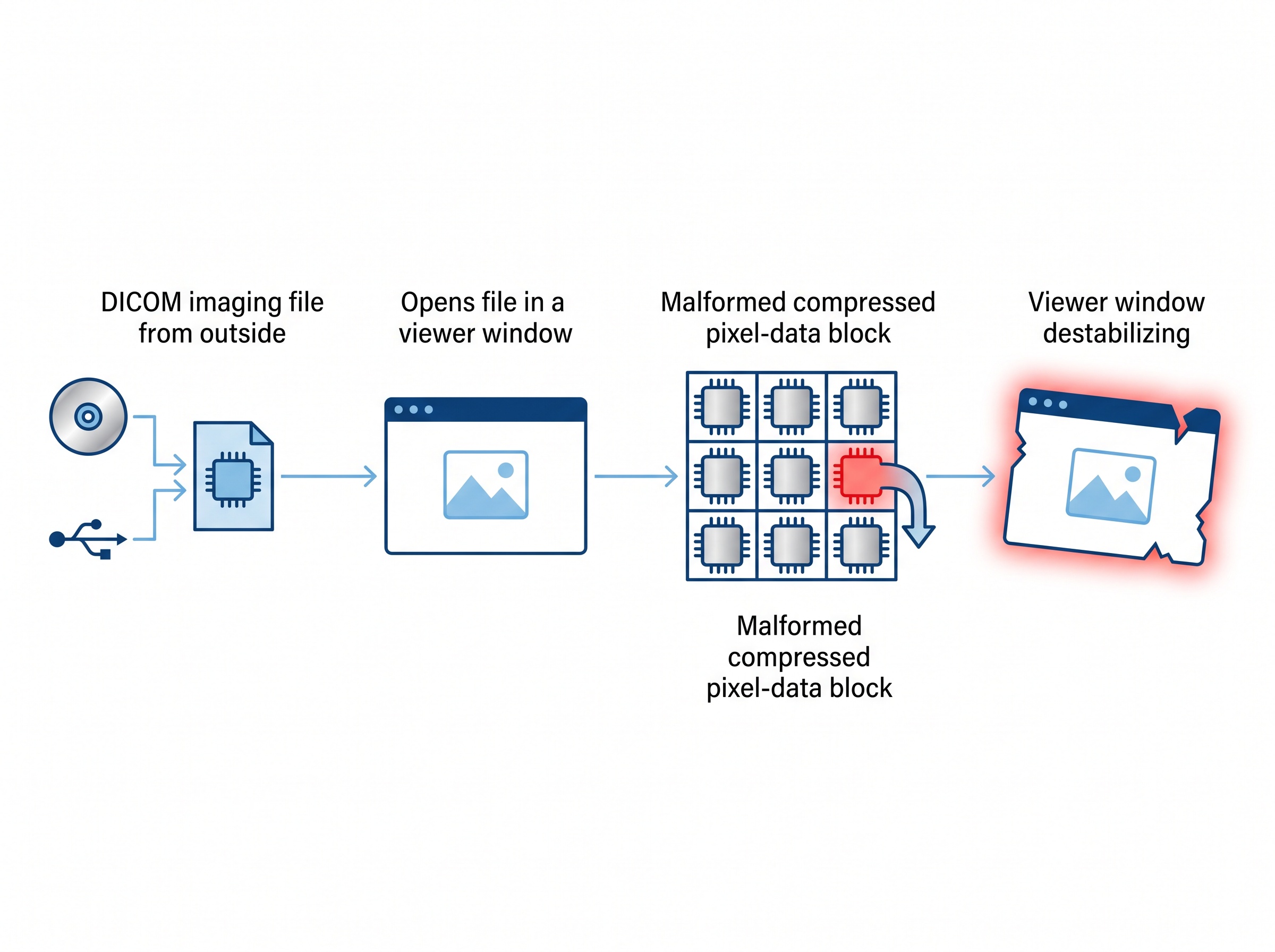
To be precise about the severity, because it matters: CISA rates this Medium (CVSS 4.3 to 5.3, depending on the scoring version). The reliably demonstrated impact is a crash; remote code execution is a documented possibility of the underlying memory bug, not a proven, packaged exploit. Two other facts round out the honest picture – the attack requires user interaction (the malicious file has to be opened), and CISA says there is no known public exploitation to date. This is not a five-alarm, patch-tonight-or-else emergency. It is exactly the kind of quiet, routine-maintenance item that practices skip – which is why it is worth thirty minutes of attention now rather than none.
Why the dental angle is real, not theoretical
The reason this advisory deserves a dental practice’s attention is the delivery path. The flaw needs someone to open a hostile file – and opening imaging files from outside the practice is not an edge case, it is a daily task. Patient CDs and USB sticks from prior providers, DICOM studies from specialist referrals, images pulled from an imaging-exchange portal, scans sent as email attachments: all of it lands on a practice computer and gets opened in a viewer, often by front-desk or clinical staff who have every reason to trust it.
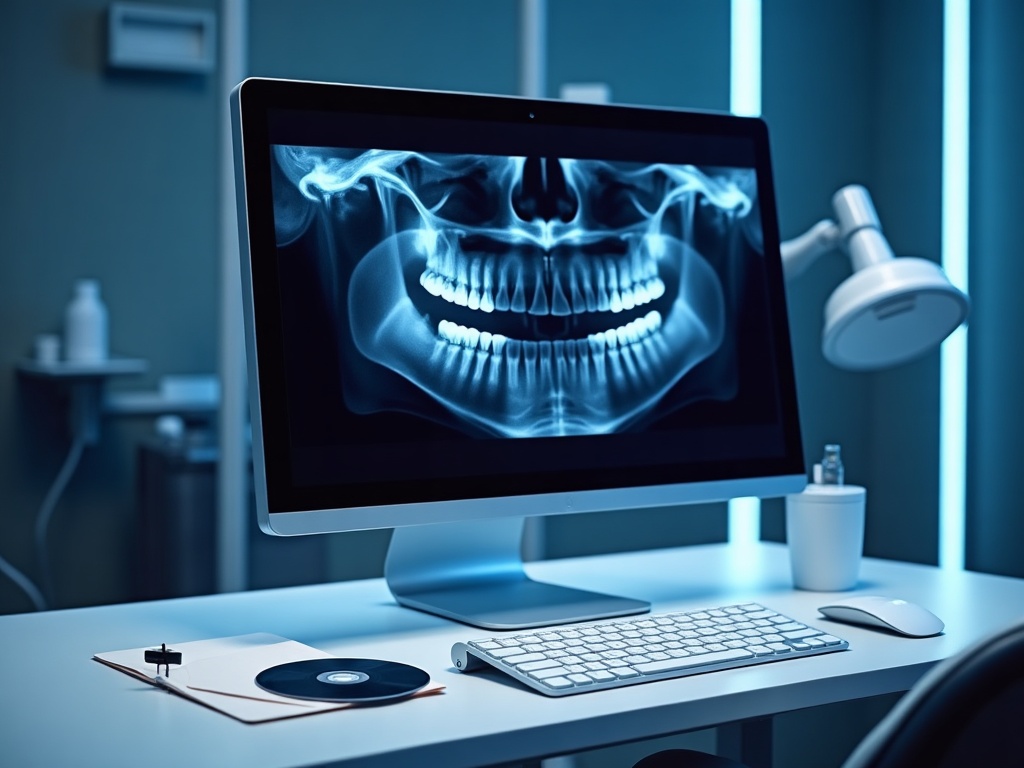
That is the uncomfortable fit. “Requires the user to open a file” sounds like a safeguard until you remember that opening outside files is the job. A malicious DICOM does not need to breach your firewall or crack a password; it just needs to look like a legitimate scan and reach the person whose role is to review scans.
And even the mild outcome carries a clinical cost. An imaging viewer that crashes when you open a study is a workstation down in the middle of a patient appointment – lost time, a delayed read, a scramble to view the image somewhere else. If the bug were ever weaponized past a crash, the machine at risk is one that routinely holds patient images, which raises the stakes from nuisance to a potential PHIPA problem.
What to do about it
The response here is refreshingly ordinary – the same disciplines that handle any software flaw, applied to a category practices often forget to include: their imaging tools.
Update RadiAnt now. Medixant has already released a fixed version – the current download explicitly notes the fix for CVE-2026-17264 – and versions 2025.2 and earlier are the vulnerable ones. Update RadiAnt to the latest release on every machine that has it, not just the main imaging PC. If a workstation is on an old version because “it still works,” that is precisely the one to fix.

Find out where it even lives. Most practices cannot immediately say which computers have a DICOM viewer installed, or which versions. Standalone viewers get installed quietly – to open one referral disc two years ago – and then linger, unpatched and unmanaged. A quick inventory of which machines run RadiAnt (or any imaging viewer) and what version they are on turns an unknown into a managed list.
Treat outside DICOM files like any other untrusted attachment. The same instinct staff apply to an unexpected email attachment applies here: be wary of imaging discs, drives and links that arrive unsolicited or from an unverified sender, and confirm the source before opening. This is not about refusing legitimate referrals; it is about not blindly opening a random file because it claims to be a scan.
Wall off the imaging workstations. This is the step that turns a worst case into a contained one. If the machines that open outside imaging are segmented from the rest of the network and run under least privilege, then even a viewer that gets compromised cannot casually reach your practice-management server, your other workstations, or the bulk of your patient records. Segmentation is the difference between “one PC had a bad day” and “the whole office is encrypted.”
Keep imaging software on a patch cadence – and keep backups. Clinical imaging tools deserve the same routine updating as Windows and your practice-management system, not a set-it-and-forget-it exception. And as always, confirm you have offline, tested backups of your imaging and records, so any bad outcome is recoverable.
The takeaway
CVE-2026-17264 is not a crisis, and treating it like one would be its own mistake. What it is, is a clean example of a blind spot: practices patch their operating systems and their practice-management software diligently, then run a separate imaging viewer for years without a thought – the one program whose entire purpose is to open files from strangers. The fix is already available. The only real risk is the one that comes from not knowing the viewer is there.
Compudent Systems helps dental practices across the GTA and Ontario close exactly this kind of gap – inventorying which machines run imaging software and which versions, confirming RadiAnt and your other viewers are updated against CVE-2026-17264, and segmenting and hardening the workstations that open outside imaging so a booby-trapped file has nowhere to go. If you cannot say today which of your computers has a DICOM viewer installed, or whether it is current, contact Compudent Systems for an imaging-workstation and patch assessment. It is a small, quiet thing to get right – which is exactly why it gets missed.
Sources & further reading:
- Medixant RadiAnt DICOM (ICSMA-26-218-01) – CISA Medical Advisory
- CVE-2026-17264 – CVE Record
- RadiAnt DICOM Viewer – Version History / Download (Medixant)
Related Reading
- A Poisoned Image Can Crash Your Imaging Server: The Orthanc DICOM Flaw (CVE-2026-87020) and Why Your PACS Shouldn’t Face the Internet
- One Vendor Runs Your Network, Cameras, and Phones: Three Max-Severity Ubiquiti Flaws and What Your Practice Must Patch
- Where Was Your Imaging Sensor Made, and What Is It Talking To? Device Provenance Is Now a Dental Practice Security Question