




October 3, 2026 The Attack Your Antivirus Never Sees: Why EDR Has a Browser Blind Spot in Dental Practices
Most dental practices that have invested in security assume their endpoint protection has the computers covered. Modern endpoint detection and response (EDR) is genuinely good at its job: it watches for malware launching, suspicious processes, and the tell-tale behavior of code running on a workstation or server. The problem is a quiet one. A growing share of today’s attacks never run code on the computer at all. They happen entirely inside the web browser and the cloud applications your practice logs into every day — and from the endpoint’s point of view, nothing bad ever happened.
Security researchers have started calling this the EDR blind spot. It is not a flaw in the software; it is a gap between what EDR was built to see and where the modern working day actually takes place. For a dental office that runs practice management, imaging, email, and insurance portals through a browser, that gap is worth understanding before it is exploited.
Why the browser became the target
The browser is now the front door to almost everything a practice uses. Cloud-based scheduling, e-claims, Microsoft 365, patient communication, even imaging viewers increasingly live behind a login in a browser tab. One recent industry review of more than 500 business applications found that roughly four out of five were reachable only through the browser. That concentration is convenient — and it means the decisive moments of an attack can now unfold where EDR has little visibility.
When a staff member authenticates to a cloud app, approves a permission request, or opens a sensitive file in a browser session, no new malicious program is created. In the 2025 Salesloft Drift incident, attackers obtained OAuth access tokens tied to a third-party integration and used them to pull data from victims’ cloud environments through ordinary authenticated API calls. There was no malware process for an endpoint tool to flag — just a valid session being abused. That is the shape of the modern breach.
Three ways an attack slips past the endpoint
Researchers point to three recurring techniques where the damage is done inside the browser, not on the host.

1. Adversary-in-the-middle (AiTM) phishing
This is the most consequential, and it is actively hitting Canadian organizations. In 2026, a threat actor Microsoft tracks as Storm-2755 targeted Canadian employees using search-engine poisoning and malicious ads: someone searching for “Office 365” was redirected to a fake Microsoft login page controlled by the attacker. The page sat invisibly between the user and the real identity provider, relayed the genuine login and even the multi-factor prompt, and captured the credentials along with the session cookie and access token issued after a successful sign-in.
With that session material in hand, the attackers simply replayed the authenticated session from their own infrastructure — and went looking for payroll and HR data, created inbox rules to hide alerts about banking changes, and reached further into connected services. Because the login looked legitimate, endpoint telemetry showed nothing alarming. This is the same session-stealing logic behind the voice-phishing campaign that cracked a healthcare organization’s Microsoft sign-in: the attacker does not need your password if they can inherit a session that already passed MFA.
2. Compromised browser extensions
Browser extensions are small programs that run inside the browser with surprising reach — many can read the pages you view and the data you type. A malicious or hijacked extension can quietly harvest session tokens, scrape patient information off a screen, or redirect data, all while behaving like an ordinary part of the browser. EDR may notice an odd file or a strange network call, but the core abuse happens inside the browser process and looks unremarkable at the host level. Most practices have never inventoried which extensions are installed on their front-desk and operatory machines, which is exactly the blind spot attackers count on.

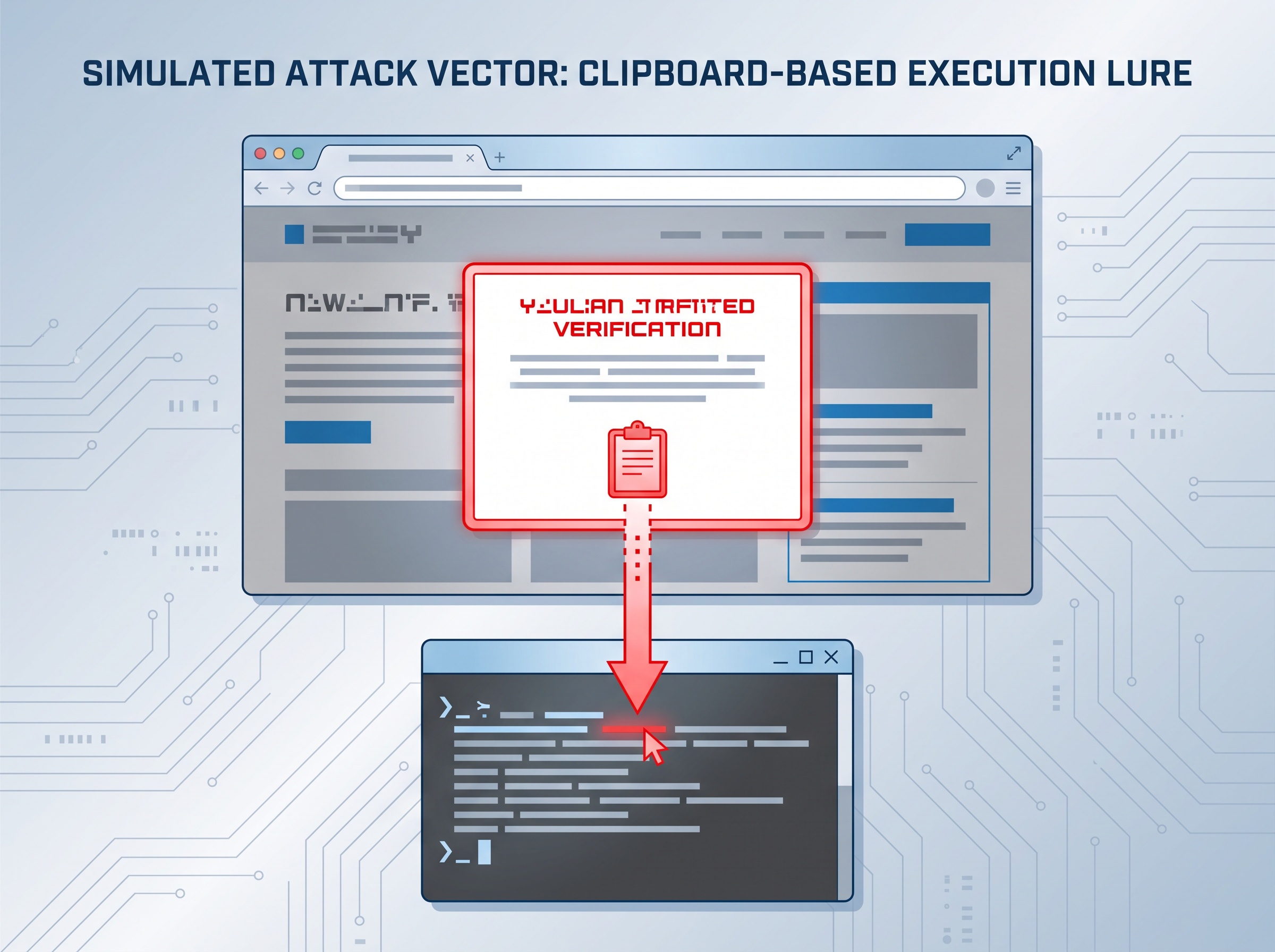
3. Clipboard and “ClickFix” execution lures
The third technique turns the user into the delivery mechanism. A web page displays a convincing prompt — a fake “verify you are human” step or a bogus error with a fix — and instructs the visitor to copy something and paste it into a Windows dialog or terminal. The browser does the persuading; the host only sees a command the user apparently chose to run. We covered this pattern when ClickFix and browser-built malware began slipping past antivirus, and it remains effective precisely because it launders a malicious action through a trusted human click.
What this means for a dental practice
None of this makes EDR obsolete — it is still essential for catching malware, persistence, and host-level intrusions, and every practice should keep it. The lesson is narrower and more important: you cannot assume endpoint protection is watching the browser and your cloud logins. For a practice, the highest-value target is rarely a file on a hard drive anymore; it is the authenticated session to Microsoft 365, the practice-management cloud, or the insurance portal. Protecting those sessions is a different discipline than protecting the computer.
Closing the blind spot
The defenses that actually address browser and identity attacks are layered, and they work together.
- Phishing-resistant MFA. This is the single biggest lever against AiTM. Hardware security keys and passkeys bind the login to the real website’s address, so a relay page cannot complete the sign-in even if the user is fooled. Codes from an app or text can be relayed; a passkey cannot.
- Shorten and condition sessions. Keep session lifetimes tight so a stolen token expires quickly, and use conditional-access rules so a sign-in from an unexpected location or device is challenged rather than trusted.
- Govern the browser. Control which extensions are allowed on practice machines, block known phishing and malicious destinations, and restrict risky clipboard and file actions. These are the exact controls EDR does not provide.
- Watch identity, not just endpoints. Alert on impossible travel, a session suddenly switching to an unfamiliar client, new inbox rules that hide messages, and unusual OAuth app approvals. These identity signals often expose a browser attack that endpoint logs miss.
- Least privilege and segmentation. A compromised front-desk session should not be able to reach imaging, backups, and the entire patient database. Limiting what any one account can touch limits what any one stolen session can steal.
Ask the right question
The uncomfortable shift is that “is this computer infected?” is no longer the whole question. A modern practice also has to ask, “could someone be using one of our cloud logins right now, and would we even know?” If the answer is uncertain, the browser blind spot is already open.

How Compudent Systems can help
At Compudent Systems, we help dental practices across the GTA and Ontario close exactly this gap — rolling out phishing-resistant passkeys and conditional access for Microsoft 365, governing browser extensions and web access on practice workstations, tightening session policies, and adding identity monitoring that catches a stolen session your endpoint tools cannot see. EDR is part of the picture, not the whole of it. Contact Compudent Systems for a cloud and identity security assessment, and let us make sure the logins that run your practice answer only to you.
Sources & further reading:
- The EDR blind spot: 3 ways browser attacks evade endpoint telemetry
- Microsoft: Investigating Storm-2755 payroll-pirate attacks targeting Canadian employees
Related Reading
- Security Alert: ‘ClickFix’ and Browser-Built Malware Are Slipping Past Antivirus – What Dental Offices Need to Know
- No Malware Required: How an "IDOR" Flaw in Dental Software Exposed Patient Records — and the Questions to Ask Your Vendor
- Security Alert: Malicious npm Packages Hid a Cross-Platform RAT — The Supply-Chain Risk Hiding in Your Dental Practice’s Software