




October 8, 2026 The “Recovery” Firm Was Secretly Paying the Ransom: Why an Immutable, Air-Gapped Backup Is the Only Exit Your Dental Practice Controls
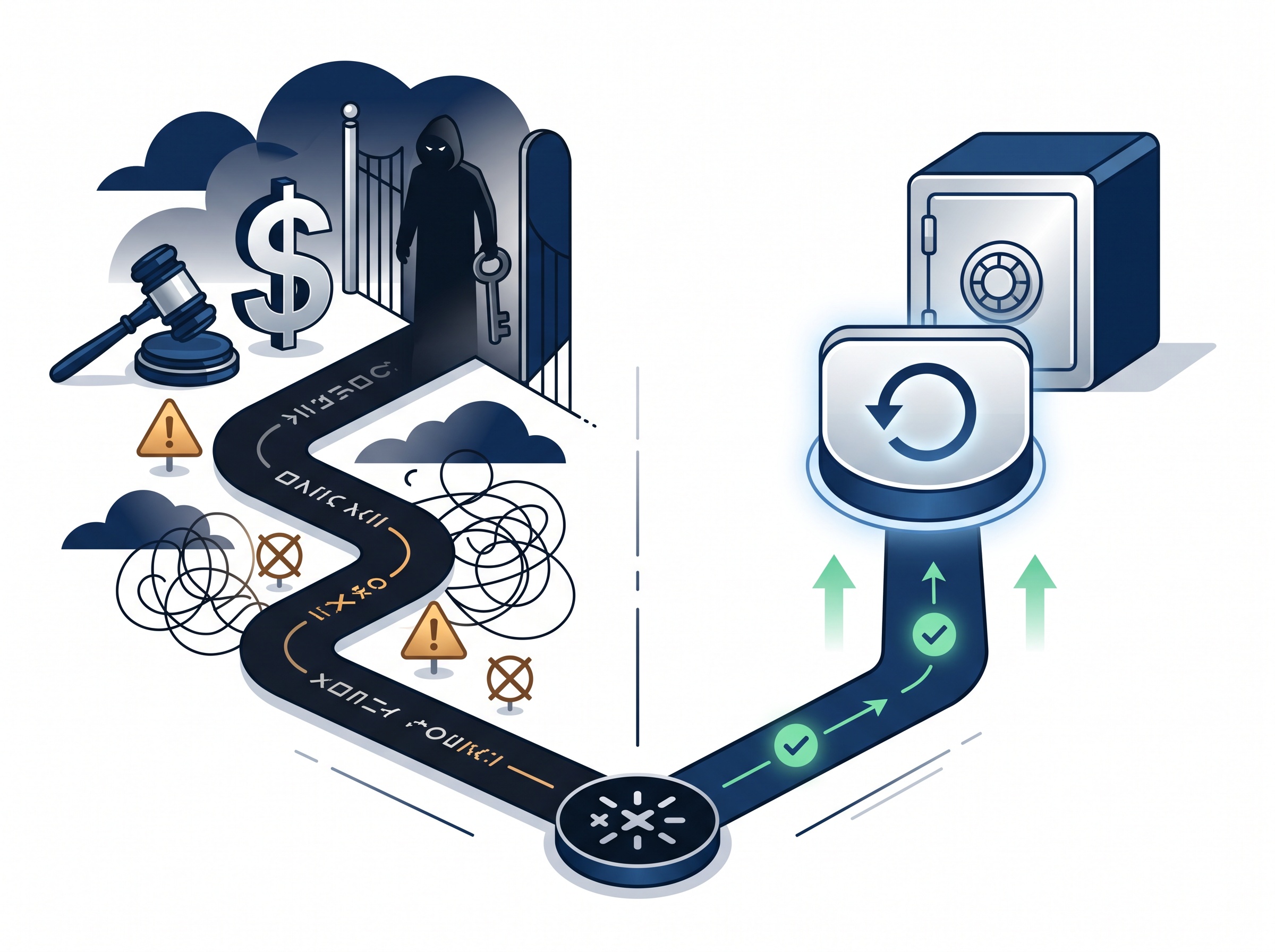
When ransomware encrypts a dental practice, the owner is suddenly confronted with a decision no one wants to make: pay the attackers for a promise, or try to recover another way. A criminal case filed in early October 2026 shows just how murky that first option really is. According to a BleepingComputer report, the owner of a prominent ransomware-remediation company, MonsterCloud, has been charged with defrauding victims — allegedly by quietly paying the attackers for decryptors while telling clients the firm used its own proprietary technology to recover the data.
Read that again, because it reframes the whole problem. A business that victims hired specifically to avoid paying a ransom was, prosecutors allege, paying it anyway and marking up the bill. If you cannot even be sure the “recovery” you are buying is anything more than the ransom with a service fee attached, then the uncomfortable truth is that almost nothing about a ransomware incident is under your control — except one thing you build long before the attack.
Why paying is the worst door to be standing in front of
Setting aside the fraud case for a moment, paying a ransom is a bad position on its own merits. You are trusting criminals to hand over a working decryptor; many are slow, buggy, or never materialize. You are funding the next attack, including the next one against a practice like yours. And increasingly, you may not legally be allowed to pay at all: if the gang behind the attack is on a sanctions list, sending them money can expose your practice to penalties regardless of intent. Modern ransomware also steals the data before encrypting it, so paying does nothing to undo the exposure — the records are already gone.
We have written before about how a ransomware claim lands on a practice when its name appears on a leak site, and how the FBI keeps refreshing its warnings about ransomware aimed at healthcare. The throughline is always the same: the practices that recover cleanly are the ones that did not have to negotiate at all, because they could simply restore.
The one exit you own: a backup the ransomware cannot touch
A restore is only an exit if the attacker cannot reach the backup. This is the part practices most often get wrong. Modern ransomware operators do not just encrypt your live data — they specifically hunt for backups first, because a victim with good backups does not pay. A backup drive left plugged into the server, or a backup account reachable with the same domain password the attacker already stole, gets encrypted right alongside everything else. The backup existed; it just did not survive.
Two properties turn a backup from a liability into a genuine exit:
- Immutable — the backup is written once and cannot be altered or deleted for a set retention period, even by an administrator account. In storage terms this is often called WORM (write once, read many) or object lock. If ransomware — or a stolen admin login — tries to encrypt or wipe it, the storage simply refuses.
- Air-gapped — at least one copy is kept physically or logically disconnected from the live network, so there is no path for malware to travel to it. That can be removable media rotated offsite, or a cloud copy that is isolated behind separate credentials and multi-factor authentication the attacker never obtained.
A backup that is both immutable and air-gapped is the thing MonsterCloud’s clients were allegedly paying for and not reliably getting: a clean, intact copy of your data that you can restore on your own terms, on your own timeline, without a single dollar going to a criminal.
Start with 3-2-1 — and be able to prove it
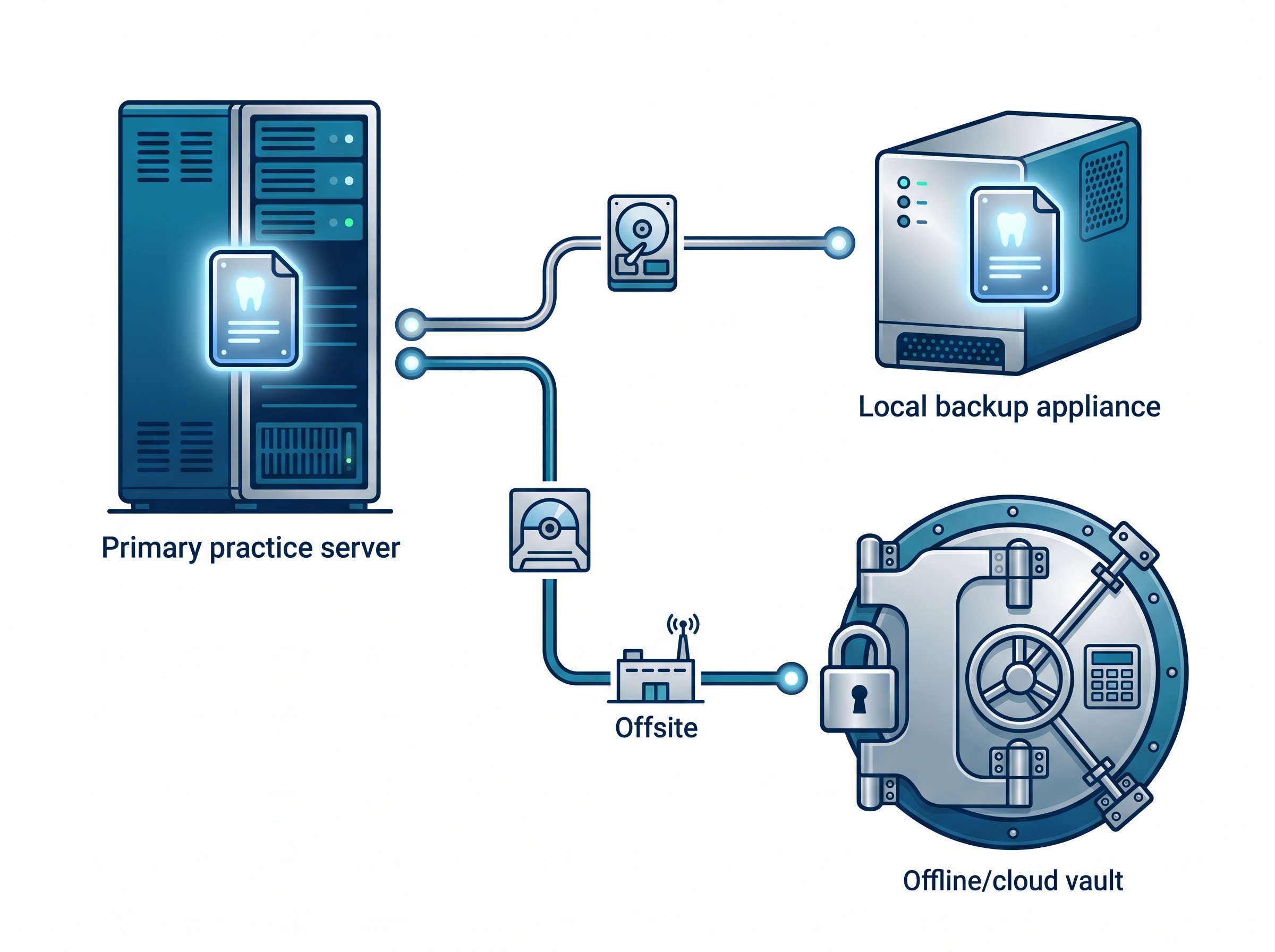
The time-tested baseline is the 3-2-1 rule: keep three copies of your data, on two different types of media, with at least one copy offsite. For a dental practice, “your data” is not just the practice-management database — it is the imaging too: the intraoral sensor captures, the CBCT volumes, the photography. Those files are large, and a backup plan that quietly excludes the imaging server to save space is a backup plan that fails on the day you need it most.
The modern refinement adds immutability and air-gapping to that third copy, which is where the real ransomware protection lives. The question to be able to answer is not “do we have backups?” — almost everyone says yes — but “can we prove we have three copies, including one offline and immutable, covering every system that holds patient data?”
A backup you have never restored is only a hope
The MonsterCloud case is, at its heart, a story about the gap between what people believed they were getting and what they actually had. Backups have the same failure mode. A backup job that reports “success” every night can still be quietly backing up a corrupted database, skipping the imaging share, or writing to media that cannot actually be read back. You only find out at the worst possible moment.
The fix is to perform real test restores on a schedule — not just confirm the job ran, but actually pull the data back and open it. Restore the practice-management database into a test environment and log in. Open a CBCT volume and a set of sensor images and confirm they render. A recovery you have rehearsed is a procedure; a recovery you have only assumed is a gamble.
Protect the tools that protect your data
One more lesson from the past year deserves a place here: your backup software is itself a target. We covered the actively-exploited flaw that turned a popular backup tool into an attack vector, a reminder that the system guarding your last line of defense needs the same patching discipline, strong unique credentials, and multi-factor authentication as everything else. An immutable, air-gapped copy is your insurance even here: if the backup console itself is compromised, the locked offline copy is what you fall back to.
Tie it all into a written recovery plan
Backups are the foundation, but recovering a dental practice is more than copying files back. Who declares the incident? In what order do systems come back — domain, server, practice-management, imaging, workstations? How does the front desk keep seeing patients while the restore runs? Those answers belong in a written downtime and business-continuity plan, rehearsed before you need it. The immutable backup gives you something to restore; the plan is what turns it into a practice that is seeing patients again by the afternoon instead of the following week.

The takeaway for your practice
The charges against a ransomware-recovery firm for secretly paying ransoms are a warning that the “easy button” after an attack may be neither easy, honest, nor legal. The only exit a dental practice fully controls is the one it builds in advance: three copies of every system that holds patient data, at least one of them immutable and air-gapped, restored and verified on a regular schedule, and wrapped in a recovery plan the team has actually practised. Get that right, and a ransom demand stops being a crisis and becomes a line you can decline.

How Compudent Systems can help
At Compudent Systems, we design and manage ransomware-resilient backup for dental practices across the GTA and Ontario — including immutable, air-gapped copies that attackers cannot encrypt, coverage that spans your imaging as well as your practice-management data, and scheduled test restores so you know your recovery works before you need it. We also build the downtime and business-continuity plans that turn a clean backup into a practice back at the chair the same day. Contact Compudent Systems for a backup and ransomware-recovery assessment — so the day someone demands a ransom, your answer is already a confident “no.”
Sources & further reading: